
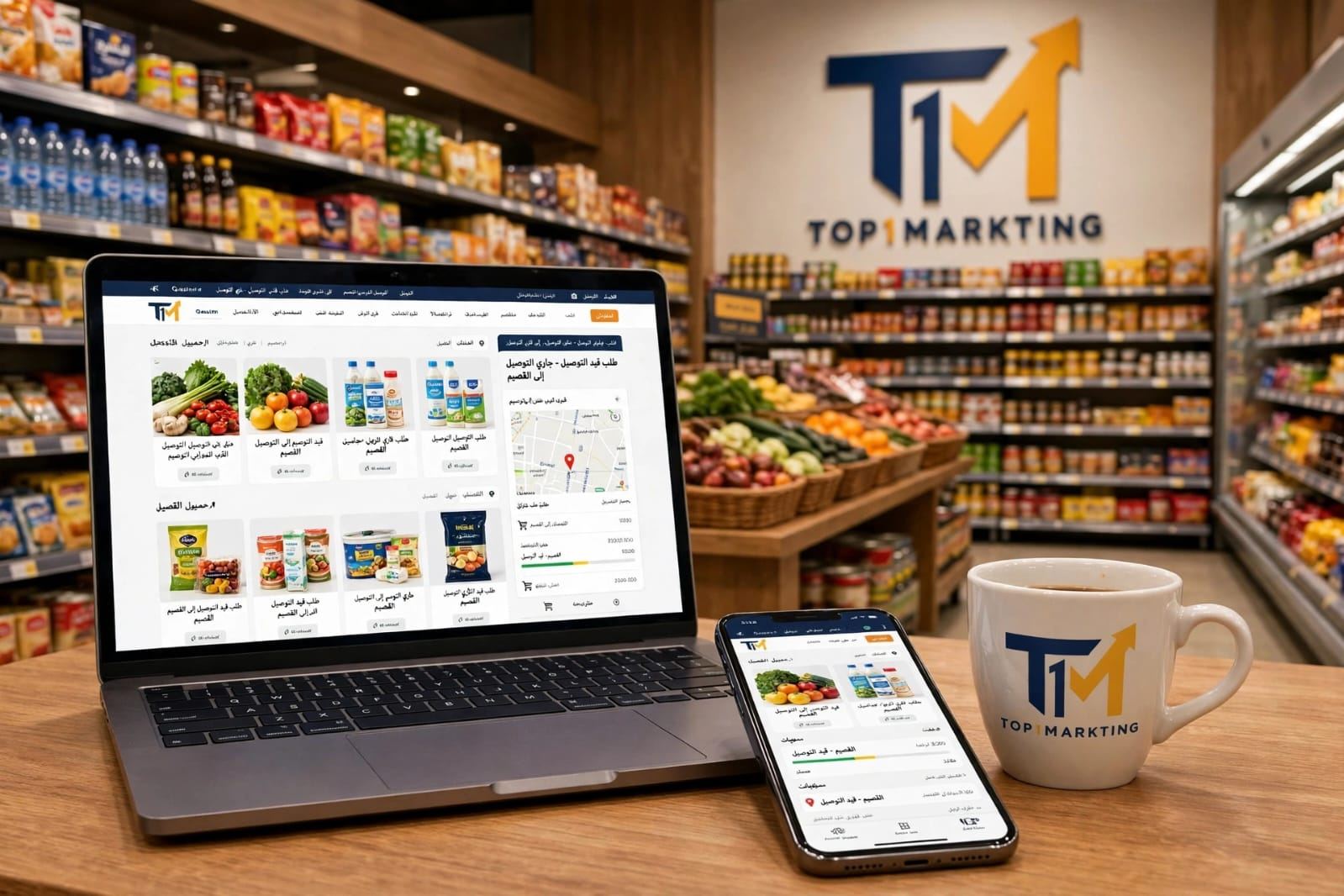
Supermarket Website Design & Development Company in Al-Qassim for Online Orders, Delivery, and Product Management
0549881368 – If you own a supermarket, grocery store, or food retail business in Al-Qassim and are looking for a supermarket website design company in Al-Qassim, Top1Markting provides supermarket and grocery website design and development services to help you showcase products, receive online orders, and manage daily business operations through an integrated administrative dashboard.
The project is not limited to creating an online interface that displays products and prices. A complete online supermarket website can allow customers to browse food, beverages, cleaning supplies, and household products, search for specific items, add products to their shopping cart, submit orders, and select delivery details according to the store's operating procedures. On the administrative side, the system can include tools for adding products, updating prices and images, monitoring available quantities and inventory, receiving orders, updating order statuses, and organizing picking, packing, and delivery operations.
Top1Markting develops customized online grocery store websites and supermarket ordering platforms according to the size of the business and its operating requirements. A large supermarket may need an extensive product catalog, multiple categories, and detailed inventory management, while a smaller grocery store may need a simple, fast interface for receiving and organizing orders. Features such as minimum order requirements, delivery zones, shipping fees, payment methods, offers, and discounts can be configured according to project requirements and the capabilities of the connected service providers.
Our supermarket website design and development services target businesses in Buraydah, Unaizah, Ar Rass, Al Bukayriyah, Al Badayea, Al Mithnab, Riyadh Al Khabra, and other cities and governorates throughout Al-Qassim. Each project takes into account customer needs, delivery coverage, and the supermarket's operating procedures. Contact Top1Markting to discuss your project and determine the requirements for building a supermarket ordering website that combines convenient online shopping with organized product, order, inventory, and delivery management.
Best Supermarket Website Design and Development Company in Al-Qassim Based on Your Business Requirements

Choosing the best supermarket website design company in Al-Qassim is not simply about the website's appearance. It also depends on the development company's ability to understand the nature of food and consumer goods retail and transform supermarket requirements into a functional, manageable, and scalable website and administrative system.
A supermarket website differs from a conventional online store because it often handles large product catalogs, frequently updated prices, multiple sales units, constantly changing stock quantities, order preparation, and delivery arrangements.
Top1Markting provides commercial website design and development services and customized online ordering solutions based on each business's requirements. Our services take into account the needs of supermarkets, grocery stores, and food retailers in Buraydah, Unaizah, Ar Rass, Al Bukayriyah, and other Al-Qassim governorates.
You can also explore our Website Design Company in Al-Qassim services to learn more about commercial website development in general. However, this project specifically focuses on the shopping, product management, and order processing functions required by supermarkets.
Choosing a Company That Understands Food and Consumer Goods Retail
When hiring a food retail website development company, it is important to ensure that the development team understands how supermarket products are displayed, sold, and managed. Supermarket requirements differ from those of stores selling a limited number of standard products.
A supermarket website may contain hundreds or thousands of products organized into multiple categories, with different brands, sizes, prices, and promotional offers.
Important considerations during project analysis include:
-
Product variety and large catalogs: Organizing products into main and subcategories, with the ability to add new items and update product information without redesigning website pages.
-
Different sales units: Some products are sold individually, by package, or by carton, while others are sold by weight or specific measurement units. The system must display prices and quantities according to each product's sales method.
-
Changing prices and promotions: Providing an administrative dashboard that allows authorized users to update prices, create promotional prices, and define offer validity periods according to store policies.
-
Product availability: Displaying product availability to customers and organizing quantity updates according to the inventory management process.
-
Order preparation speed: Organizing incoming orders and displaying product details, quantities, and customer notes so employees can prepare purchases efficiently.
-
Delivery areas and schedules: Configuring delivery zones, fees, and available delivery times according to the supermarket's operational capacity.
-
Mobile shopping experience: Since many customers browse products and order everyday essentials using smartphones, the interface must be clear and easy to use.
For these reasons, the best supermarket website developer is one who can combine an easy-to-use shopping interface with the administrative functions required by the business, rather than simply creating product display pages without a proper order management system.
Developing a Supermarket Website That Can Grow With Your Business
Your website should be scalable so that your supermarket does not need to rebuild the entire platform when the number of products, users, or delivery areas increases.
Top1Markting plans the project structure and functionality according to your current business requirements while considering the possibility of adding new features in the future, depending on the agreed development scope.
Future development possibilities may include:
-
Adding new products and categories: Expanding the product catalog and adding new brands, sizes, and packaging options without affecting existing category structures.
-
Adding branches and delivery areas: Developing the system to support multiple branches or different delivery zones, with separate product availability and order fulfillment procedures when required.
-
Expanding employee permissions: Assigning responsibilities to product management staff, order preparation employees, inventory managers, and system administrators.
-
Adding operational features: Such as promotional management, discount coupons, favorite product lists, customer purchase history, and sales reports, depending on business requirements.
-
Connecting to POS and inventory systems: Studying the possibility of integrating the website with the supermarket's existing point-of-sale system or inventory software, provided suitable integration interfaces or compatible connection methods are available.
-
Expanding order management: Adding new order statuses or developing systems for distributing orders among employees and branches and monitoring preparation and delivery operations.
This flexibility helps supermarket owners in Buraydah and other Al-Qassim locations start with essential features and gradually expand their websites as their business operations grow.
Supermarket Website Interface Design for Product Display and Online Customer Orders
The shopping interface is the first point of interaction between customers and the supermarket website. It should help visitors find products quickly, understand prices and offers, and add items to their shopping carts without unnecessary steps.
Supermarket website interface design must reflect everyday shopping behavior. Customers may visit to search for a specific product, browse an entire category, or compare the sizes and prices of several items before completing an order.
Top1Markting designs and develops grocery shopping website interfaces that combine clear product presentation with easy navigation. The pages are connected to the product and order management system so that the information customers see matches the data employees manage through the administrative dashboard.
Designing the Homepage to Display Categories and Daily Offers
The homepage should communicate the supermarket's brand identity and help visitors start shopping immediately rather than overwhelming them with unnecessary elements.
It can include:
-
Supermarket logo and brand identity: Using the business logo, colors, and visual elements that represent the brand and help customers recognize the store.
-
Main product categories: Clear links to vegetables, fruits, dairy products, meat, beverages, groceries, cleaning supplies, and other categories.
-
Product offers and discounts: A dedicated area for current promotions, displaying the original price and discounted price when an approved offer exists.
-
Popular products: Highlighting products the store wants to promote or items that receive frequent orders, based on available data.
-
New and available products: Displaying recently added items or products the supermarket wants to promote.
-
Quick search: Providing a visible search field that allows customers to find products by name or brand.
-
Shopping and ordering links: Making it easy to access product categories, the shopping cart, and checkout.
The category and offer layout can be customized according to the business, whether it is a large supermarket in Buraydah or an online grocery store serving a specific area within an Al-Qassim governorate.
Designing Food and Consumer Product Pages
Each product page should display the information customers need to make purchasing decisions while taking into account the different characteristics of food and consumer goods.
Each product page may include:
-
A clearly displayed product name.
-
One or more images showing the product and its packaging.
-
The current price and promotional price when a discount applies.
-
The sales unit or package size, such as an individual item, package, kilogram, or liter.
-
A brief description and additional product information when necessary.
-
Availability status, such as available or currently unavailable.
-
Quantity selection before adding the item to the shopping cart.
-
Different product sizes or options when available.
Product page information should be connected to the administrative dashboard so employees can update prices, images, descriptions, and availability without manually modifying individual pages.
The system should also define how products sold by weight are handled, especially when the final quantity or actual weight is determined during order preparation.
Designing the Website for Easy Mobile Use
An online grocery website should work efficiently on smartphones, tablets, and desktop computers, with particular attention to the mobile shopping experience.
Customers should be able to browse products, add items, and submit orders easily while using smaller screens.
Responsive design features may include:
-
Adjusting the interface to different screen sizes.
-
Making navigation between supermarket categories and the homepage easier.
-
Providing clear buttons for adding products and changing quantities.
-
Organizing product images to maintain clarity without unnecessarily slowing down pages.
-
Improving page and image loading speed as much as possible.
-
Simplifying shopping cart review and customer address entry.
-
Supporting Arabic language and right-to-left text direction.
-
Displaying prices, quantities, and availability clearly.
The goal is to reduce the number of steps customers need to complete between opening the website and submitting an order while providing a convenient shopping experience for different age groups and levels of digital experience.
Programming Supermarket Categories and Organizing Food Products on the Website
When a supermarket has a large number of products, organizing its catalog becomes essential for both shopping convenience and website management.
Supermarket category development requires a clear classification structure that allows customers to navigate from main categories to subcategories and then select the products they need. At the same time, employees should be able to add, update, and manage products without unnecessary duplication or confusion.
Top1Markting can develop an electronic product catalog that matches the supermarket's requirements, with customizable category levels, product display methods, and product attributes based on the business size and internal product organization.
Creating Main and Subcategories for Products
Supermarket products can be divided into main and subcategories to help customers find everyday essentials.
Examples include:
-
Vegetables and fruits: Fresh vegetables, fruits, and seasonal products.
-
Dairy and cheese: Milk, yogurt, cheese, butter, and other dairy products.
-
Meat and poultry: Fresh meat, poultry, and related products according to the store's offerings.
-
Bakery products: Bread, pastries, and various baked goods.
-
Beverages and juices: Water, juices, soft drinks, and other beverages.
-
Essential groceries: Rice, sugar, flour, oils, legumes, canned goods, and spices.
-
Cleaning and household supplies: Laundry detergents, floor cleaners, cleaning tools, and household products.
-
Personal care: Hygiene and everyday personal care products.
-
Frozen and refrigerated products: Frozen foods and products requiring refrigerated storage.
These categories can be modified or expanded according to the supermarket's product range. Subcategories can also be created within each main category, such as dividing dairy into milk, cheese, and yogurt, or cleaning supplies into laundry detergents, floor cleaners, and cleaning tools.
Programming Search and Filters for Quick Product Discovery
Organizing products into categories is not enough if customers still struggle to find the items they need.
A website can include an internal search engine and product filters that help customers find products quickly, particularly when the supermarket has a large catalog.
Search and filtering features may include:
-
Product name search: Entering the product name to find the required item directly.
-
Brand search: Finding products from a specific brand.
-
Category filtering: Displaying products belonging to a selected category.
-
Price sorting: Arranging products from lowest to highest price or vice versa.
-
Best-selling products: Displaying frequently ordered items when suitable sales data is available.
-
Available products: Hiding unavailable items or displaying their availability status clearly, according to store policy.
-
Related product suggestions: Displaying products related to the customer's search or the category being browsed, according to predefined rules.
These features reduce the time customers spend searching for products and make the supermarket website easier to navigate, particularly on mobile devices.
Managing Brands and Similar Products
A supermarket may carry several products from the same brand or similar products that differ in size, weight, or packaging.
The product management system should organize this information to prevent confusion and help customers select the correct item.
Development features may include:
-
Linking each product to its brand and displaying the brand name within its details.
-
Organizing different product sizes and packaging options, such as small, medium, and large packages.
-
Displaying similar products from the same category to make comparisons easier.
-
Providing alternative products when an item is unavailable, if the supermarket follows this policy.
-
Linking products to multiple categories when necessary without creating duplicate product records.
-
Managing core product information from a single record and using appropriate categories and links to display it in different locations.
-
Distinguishing products with similar names, sizes, or sales units to prevent customers from selecting the wrong item.
This approach helps build a more organized supermarket product management system and makes it easier to update products, brands, and prices through the administrative dashboard, whether the website serves one store in Buraydah or a business operating across multiple Al-Qassim cities and governorates.
Programming a Product, Pricing, and Promotions Management System for Supermarket Websites in Al-Qassim
An online supermarket website needs an administrative system that allows business owners to add products, update information, change prices, and manage promotions without manually editing website pages.
Top1Markting develops supermarket product management systems connected to the shopping interface, allowing authorized users to control products, categories, prices, and discounts through a single administrative dashboard.
Whether your supermarket operates in Buraydah, Unaizah, Ar Rass, Al Bukayriyah, or another Al-Qassim location, the system can be customized according to the number of products, sales methods, and store management procedures. It can also accommodate different measurement units, changing prices, promotional offers, and product availability.
Adding and Editing Product Information Through the Dashboard
The administrative dashboard allows authorized users to add new products and update existing product information without manually modifying website pages.
Each product record may include:
-
Product name and code: Registering the product name and assigning a unique code for easier identification and management.
-
Product images: Uploading images that clearly display the product and its packaging.
-
Category and brand: Linking the product to its main category, subcategory, and appropriate brand.
-
Product description: Adding a brief description and information about size and characteristics when needed.
-
Selling price: Defining the price displayed to customers according to the approved sales unit.
-
Sales unit: Specifying whether the product is sold individually, by package, carton, or weight.
-
Product status: Defining whether the item is available and can be ordered through the website.
-
Bulk updates: Modifying information for multiple products, such as prices or categories, simultaneously when suitable data formats and import methods are available.
These functions help supermarket owners in Buraydah and across Al-Qassim organize their product catalogs and reduce the time required to manage hundreds or thousands of products.
Managing Product Prices, Promotions, and Discounts
Product prices and supermarket promotions may change frequently. Therefore, stores need a product pricing management system that allows administrators to define regular prices, promotional prices, and offer validity periods through the dashboard.
Possible functions include:
-
Setting the regular price for each product.
-
Adding a special promotional price when a discount applies.
-
Scheduling offers with specific start and end dates.
-
Creating discounts for selected products.
-
Setting promotional offers for groups of products according to predefined conditions.
-
Displaying the original and discounted prices clearly.
-
Automatically ending promotions when their validity periods expire and restoring the regular price.
-
Manually activating or deactivating promotions through the dashboard.
The system can also support special offers, such as discounts when purchasing a specific quantity or bundled offers combining multiple products at one total price, according to supermarket policies and pricing rules.
This makes it easier to manage promotional campaigns without individually modifying every product page.
Managing Products Sold Individually, by Weight, or by Package
Supermarket products are sold using different methods. Some are sold individually, others by package or carton, while certain products are priced according to weight.
The supermarket product management system should therefore support the appropriate sales units for each product to prevent differences between displayed prices and the way order totals are calculated.
Possible functions include:
-
Individual sales: Setting a unit price and allowing customers to select the required number of items.
-
Package or carton sales: Recording package sizes or the number of units per carton and defining the appropriate selling price.
-
Weight-based sales: Setting prices per kilogram, gram, or another approved weight unit.
-
Displaying measurement units: Showing the sales unit next to the price so customers understand exactly what they are purchasing.
-
Handling actual weight: For products weighed during preparation, recording the final weight and updating the order total according to the approved pricing method, while explaining the process to customers before confirming the final amount.
This flexibility helps manage food and consumer products accurately, whether the website belongs to a supermarket in Buraydah or a grocery store serving customers throughout Al-Qassim.
Programming an Online Supermarket Shopping Cart and Ordering System in Buraydah and Al-Qassim
The shopping cart and checkout process are essential functions of any online supermarket website because they move customers from browsing products to selecting their purchases and submitting orders.
The purchasing process should provide clear steps that allow customers to add products, modify quantities, review their shopping totals, and enter delivery information without unnecessary complications.
Top1Markting develops shopping carts connected to product catalogs and order management systems. This allows product details, prices, and quantities to appear in an organized manner, while checkout steps can be customized according to the supermarket's operating procedures in Buraydah, Unaizah, Ar Rass, Al Bukayriyah, and other Al-Qassim locations.
Adding Products to the Shopping Cart and Changing Quantities
The shopping cart can be designed to allow customers to manage their selections easily.
Its functions may include:
-
Adding products to the cart from category pages or product detail pages.
-
Increasing or decreasing product quantities directly.
-
Removing items customers no longer want to purchase.
-
Automatically updating the shopping total when quantities change.
-
Displaying individual product prices and the total value of selected quantities.
-
Reviewing all selected products before proceeding to checkout.
-
Highlighting unavailable products or items whose quantities have changed before purchase confirmation.
The shopping cart can be connected to product availability information managed by the supermarket, helping prevent orders from being confirmed with unavailable items without displaying an appropriate notification.
Programming the Checkout Page and Recording Customer Information
After selecting products, customers proceed to checkout to enter the information needed to receive their purchases.
The checkout page may include:
-
Customer name.
-
Contact phone number for communication and order confirmation.
-
Detailed delivery address.
-
City and neighborhood selection.
-
Additional notes about the order or delivery instructions.
-
Review of selected products and quantities.
-
Display of the total product value.
-
Delivery fees and any additional charges before order confirmation.
-
Payment method selection from the options supported by the project.
Address fields and delivery zones can be customized according to the store's service coverage, whether it operates within Buraydah or serves other cities in Al-Qassim.
Online payment or cash on delivery can also be considered according to business requirements and the availability of suitable payment gateway integrations.
Managing Alternative Products When an Item Is Unavailable
During order preparation, employees may discover that a requested product is unavailable or that the requested quantity exceeds the available stock.
An alternative product management feature can be developed to ensure that customer purchases are not changed without their knowledge or approval.
This system may include:
-
Allowing customers to specify whether they accept substitute products when an item is unavailable.
-
Recording customer preferences regarding substitutions or removing unavailable products.
-
Displaying suitable alternatives from the same category or brand when available.
-
Sending a request to the customer for approval before replacing a product when store policy requires it.
-
Recording both the original and replacement products in the order details.
-
Updating the order total when products or quantities change.
-
Explaining any price difference before approving the final modification.
This functionality helps supermarkets reduce problems caused by unavailable products during order preparation and improves the shopping experience for customers ordering everyday essentials online in Buraydah and other Al-Qassim cities.
Programming a Supermarket Order Management and Preparation System Through the Administrative Dashboard in Al-Qassim
After customers submit orders through the website, supermarket management needs a clear interface for receiving, reviewing, preparing, and tracking those orders until delivery.
Developing a supermarket website therefore involves more than a shopping interface and shopping cart. It also includes programming an order management system connected to customer information, products, and inventory.
Top1Markting develops administrative dashboards that help managers and employees identify new orders, monitor their statuses, and organize the tasks required to complete them.
The workflow can be customized according to supermarket size, employee numbers, and delivery procedures in Buraydah or other Al-Qassim cities and governorates.
Receiving New Orders and Displaying Order Details
When customers submit orders through the website, the system records them in the administrative dashboard so supermarket employees can review and process them.
The order details screen may display:
-
New order notifications: Alerting the responsible administrator when a new online order arrives through the notification method configured in the system.
-
Customer information: Customer name, phone number, and registered contact details.
-
Product list: Names of requested products, their images, and product codes when necessary.
-
Quantities and sales units: Showing the number of pieces, packages, or weight requested for each product.
-
Order total: Displaying product value, delivery fees, and any additional charges.
-
Payment method: Showing the customer's selected payment method and payment status when an appropriate integration is available.
-
Delivery address: Displaying the registered city, neighborhood, and detailed address.
-
Customer notes: Showing delivery instructions, substitution requests, and other order-related notes.
These details help employees review orders before preparation and verify customer information, products, and requested quantities.
Tracking Order Preparation and Delivery Stages
A clear order status workflow can be programmed so management and employees know the current stage of every order. The appropriate status can also be displayed to customers so they can follow their purchases.
Possible order statuses include:
-
New Order: The order has been received through the website and is waiting for review.
-
Order Confirmed: The order information has been reviewed and approved for preparation.
-
Preparing Products: Employees have started collecting the requested items and checking quantities.
-
Ready for Pickup or Delivery: Preparation is complete and the order is ready for the next stage.
-
Out for Delivery: The order has been handed to a delivery employee or shipping company according to the operating procedure.
-
Delivered: Delivery to the customer has been confirmed.
-
Cancelled or Unable to Fulfill: The order could not be completed, with an option to record the cancellation or failure reason.
Additional statuses can be added according to business requirements, such as waiting for customer approval of a substitute product or waiting for payment completion.
Recording the date and time of each status change also helps management review workflow progress and identify reasons for delays when necessary.
Assigning Orders to Employees and Monitoring Fulfillment
When a supermarket receives a large number of orders, distributing tasks among employees becomes important to prevent overlapping responsibilities or forgotten orders.
Employee permissions and task assignment functions can be developed within the dashboard to organize team responsibilities.
Possible functions include:
-
Assigning each order to an employee responsible for preparation.
-
Designating an employee to review products and quantities before order approval.
-
Recording products that have been prepared and those that are unavailable.
-
Monitoring orders that exceed their expected preparation time.
-
Displaying orders that require administrative intervention or approval.
-
Identifying the employee responsible for each order stage.
-
Recording notes and updates related to orders.
-
Filtering orders by status, employee, or receipt date.
The dashboard can also include reports showing new, completed, delayed, and cancelled orders, helping management evaluate preparation and delivery operations and make appropriate organizational decisions.
This provides supermarket owners in Buraydah and other Al-Qassim cities with a unified system for receiving orders, managing order details, distributing preparation tasks, and monitoring delivery instead of relying on scattered conversations and manual records.
Programming a Supermarket Inventory Management System and Connecting It to Products and Orders in Al-Qassim
Managing an online supermarket website is not complete simply by displaying products and receiving orders. The business also needs an inventory system to monitor available quantities, update product availability, and connect stock levels with sales and order preparation.
Supermarket website development in Al-Qassim can therefore include an inventory management system that helps business owners identify available, low-stock, and out-of-stock products while reducing the likelihood of receiving orders for unavailable items.
Top1Markting develops inventory management systems according to supermarket operating procedures, whether the business is in Buraydah, Unaizah, Ar Rass, or another Al-Qassim location.
The system can be connected to online orders or existing POS and warehouse systems, depending on available technical capabilities.
Monitoring Available Quantities for Each Product
Inventory monitoring helps supermarkets identify actual available quantities and update product availability on the website according to sales and preparation activities.
Possible functions include:
-
Recording the current inventory quantity for each product.
-
Deducting quantities after a sale or order approval according to the defined workflow.
-
Returning quantities to inventory after order cancellation or product returns, according to store policy and product condition.
-
Updating website product status to available or unavailable.
-
Displaying alerts when product quantities fall below an administrator-defined threshold.
-
Setting minimum stock levels for selected products to help monitor replenishment requirements.
-
Displaying available and reserved quantities for orders when required by the inventory workflow.
These functions can be connected to product pages and the shopping cart so ordering availability reflects the inventory information recorded in the system.
This helps supermarket owners in Buraydah and across Al-Qassim improve product data accuracy and reduce problems caused by differences between displayed quantities and actual available stock.
Managing Expiration Dates and Food Product Batches
Some food products require expiration date and batch tracking, particularly items with different production and expiration dates across incoming shipments.
Inventory management functions can be developed to record these details and help administrators review them.
Possible features include:
-
Recording expiration dates for products requiring periodic monitoring.
-
Displaying alerts for products approaching expiration according to an administrator-defined period.
-
Organizing batch information, including receipt dates, quantities, and batch numbers when necessary.
-
Reviewing quantities associated with each batch to identify products requiring administrative action.
-
Preparing reports for products approaching expiration or already expired.
-
Supporting inventory issuing policies based on expiration dates when required by store operations.
These records help supermarket management review food products and take appropriate action.
However, the electronic system is an administrative recording and notification tool, not a replacement for physical inspections or food safety, storage, and quality control procedures inside the store.
Connecting Inventory Between the Website, Warehouse, and POS Systems
If a supermarket sells products inside its physical branch while also receiving online orders, it may need to synchronize inventory information across different sales channels.
Integration between the website and the existing POS system or inventory software can be considered.
Possible integration functions include:
-
Exchanging product information, codes, and prices between the website and existing systems.
-
Updating quantities when sales are recorded inside the physical branch or through the website.
-
Reducing differences between inventory information used for online and in-store sales.
-
Defining which system serves as the primary source of product and inventory information.
-
Determining whether data synchronization occurs in real time or at scheduled intervals, depending on system capabilities.
-
Reviewing compatibility with available APIs or integration methods before development.
Before implementing integration, the existing inventory system, sales recording procedures, and update methods must be reviewed to prevent conflicts between website data and POS or warehouse software.
The integration scope depends on the type of system being used and the availability of technical access.
Designing and Developing a Supermarket Order Delivery Management System in Al-Qassim and Buraydah
A supermarket that accepts online orders needs an organized delivery process, not simply a field for entering the customer's address.
The business must define its delivery coverage, calculate delivery fees, provide suitable delivery or pickup times, assign orders to delivery personnel, and monitor completion.
An online supermarket website can therefore include a dedicated delivery management system connecting order information with customer addresses, delivery zones, fees, and selected time slots.
An administrative dashboard can help management organize deliveries throughout Buraydah and other Al-Qassim governorates.
Defining Delivery Areas Within Buraydah and Al-Qassim Governorates
Delivery coverage differs from one supermarket to another according to branch location and operational capacity.
The system can include settings that allow management to define the areas from which online orders are accepted.
Possible functions include:
-
Registering delivery areas served by the supermarket.
-
Dividing delivery coverage by neighborhoods, cities, or governorates.
-
Defining areas where online ordering is available or unavailable.
-
Preventing checkout when a customer address is outside the approved delivery area.
-
Adding new delivery areas or modifying existing ones as the business expands.
-
Assigning different delivery fees to different areas.
-
Connecting each delivery area to the responsible branch when multiple branches exist.
Delivery coverage can be configured for neighborhoods within Buraydah or locations in Unaizah, Ar Rass, Al Bukayriyah, and other Al-Qassim cities, depending on the supermarket's actual delivery capacity.
Customers will see available delivery areas according to the settings approved by management.
Setting Delivery Fees and Minimum Order Requirements
Supermarket management needs control over delivery costs and order acceptance conditions so customers know the required fees before confirming their purchases.
Delivery rules can be programmed through the administrative dashboard according to different areas and purchase values.
Possible settings include:
-
Defining delivery fees for each area or geographic zone.
-
Offering free delivery when purchases exceed a minimum value defined by the store.
-
Setting a minimum order value for delivery acceptance.
-
Creating different fee rules according to delivery area or service type.
-
Displaying delivery fees and minimum order requirements before checkout confirmation.
-
Modifying delivery rules through the dashboard without manually editing website pages.
Supermarket owners can configure these rules according to operating costs, delivery distances, and sales policies. The rules are connected to checkout so customers can clearly see the final cost before submitting an order.
Programming Delivery Schedules and Organizing Delivery Times
Customers may prefer to select a suitable time to receive their purchases rather than waiting without a defined delivery schedule.
A delivery scheduling system can therefore be added, allowing management to control available time slots and the number of orders accepted during each period.
Possible functions include:
-
Allowing customers to select a delivery time during checkout.
-
Defining available delivery periods throughout the day.
-
Setting the maximum number of orders accepted in each time slot.
-
Disabling time slots that have reached their capacity.
-
Taking supermarket working hours and order preparation times into account.
-
Modifying or disabling delivery schedules through the dashboard when operating conditions change.
-
Displaying the selected delivery time in order details for employees and delivery personnel.
This helps distribute orders across suitable time periods instead of allowing them to accumulate at the same time. It also gives management a clearer picture of expected workload during delivery hours.
Assigning Orders to Delivery Drivers and Monitoring Delivery
After purchases have been prepared, management needs to assign each order to a responsible delivery driver and monitor its movement from the supermarket to the customer.
A dedicated delivery personnel section can be developed within the administrative dashboard.
Possible functions include:
-
Registering delivery drivers' information and contact details.
-
Assigning orders to specific drivers through the dashboard.
-
Displaying the orders assigned to each driver.
-
Updating delivery status when an order is collected or delivered.
-
Recording the time the driver receives and delivers an order.
-
Documenting unsuccessful delivery attempts or delays with relevant notes.
-
Sending customer notifications when order statuses change through the configured notification method.
-
Adding live driver location tracking when there is an operational need and suitable technical integration, while respecting driver consent and privacy requirements.
These functions help organize deliveries and review completed orders and orders requiring follow-up, whether the supermarket serves a limited area within Buraydah or a wider area across Al-Qassim.
Programming Online Payment Gateways and Cash on Delivery for Supermarket Orders in Al-Qassim
Available payment methods affect how easily customers complete online supermarket orders.
The website should therefore provide suitable payment options and record payment status while connecting it to order details.
The payment system can be developed according to the supermarket's policies, whether it uses online payments, cash on delivery, or multiple methods simultaneously.
Top1Markting develops payment workflows and connects websites to suitable payment providers according to project requirements, taking into account merchant account activation procedures and available integration capabilities.
Connecting the Website to Suitable Online Payment Gateways
An online supermarket website can be connected to an electronic payment gateway that allows customers to pay for their purchases using payment methods supported by the service provider.
Possible development functions include:
-
Connecting the website to the payment gateway selected by the business owner, subject to service availability and merchant requirements.
-
Displaying payment methods supported by the provider during checkout.
-
Sending payment information and receiving transaction results from the payment gateway.
-
Updating order payment status after verifying successful payment.
-
Handling failed or cancelled payments without incorrectly marking orders as paid.
-
Allowing customers to retry payment according to the website's workflow and provider capabilities.
-
Testing the payment process and order confirmation before launching the website.
The appropriate payment gateway must be selected before development because activating the service may require a merchant account, supporting documents, and provider approval.
Available payment methods and integration requirements also differ between providers.
Configuring Cash on Delivery and Recording Collections
Some customers prefer to pay when their purchases arrive.
A cash-on-delivery option can be provided if the supermarket's policies allow it. This option requires recording the amount to be collected and monitoring payment status after delivery.
Possible functions include:
-
Displaying cash on delivery among available payment methods.
-
Recording the amount the driver must collect from the customer.
-
Displaying payment status within order details.
-
Recording the amount collected upon delivery.
-
Documenting orders for which payment was not collected or delivery was unsuccessful.
-
Reconciling order information with amounts collected by delivery personnel.
-
Preparing reports to help management review collection transactions.
This allows supermarket owners to monitor order values, payment statuses, and collected amounts through the administrative dashboard instead of relying on separate records that become difficult to review as order volumes increase.
Designing an Administrative Dashboard for Supermarket Management, Employees, Customers, and Reports in Al-Qassim

Supermarket management needs an administrative dashboard that brings daily operations together in one place instead of relying on separate tools for products, inventory, orders, customers, and sales.
A customized administrative dashboard can be programmed and connected to the website's different sections, displaying the data and functions each administrator needs according to their role.
The dashboard can be customized for a supermarket in Buraydah or any other Al-Qassim city, with sections, permissions, and reports defined according to business size, employee numbers, and operating procedures.
Managing Customer Accounts and Previous Order Information
A dedicated customer management section can help employees review contact information and previous orders while organizing transaction records associated with each customer.
Possible functions include:
-
Recording basic customer information and contact details.
-
Displaying each customer's previous order history.
-
Identifying customers who have previously purchased through the website.
-
Reviewing registered delivery addresses according to user permissions.
-
Monitoring current and previous order statuses.
-
Searching for customer orders using suitable information, such as order number or phone number.
-
Organizing order-related notes when necessary.
These records help supermarket management review customer interaction history and retrieve previous order details when responding to inquiries or following up on purchasing issues.
Managing Employees and Administrative Permissions
Not every employee needs access to every section of the system.
A product management employee has different responsibilities from an inventory manager or order preparation employee.
A permission management system can therefore be programmed to define what each user can view or modify within the administrative dashboard.
Examples of accounts and permissions include:
-
System Administrator: Has general management permissions and access to system settings.
-
Product Management Employee: Can add products and modify product information and prices according to assigned permissions.
-
Order Preparation Employee: Monitors orders, updates preparation statuses, and records prepared products.
-
Inventory Manager: Monitors quantities, stock movements, and products with low availability.
-
Delivery Manager: Reviews assigned orders and updates delivery statuses according to their role.
Custom permissions and different access levels can also be configured, with important administrative actions recorded when necessary so management can review modifications and identify the responsible user.
Sales, Product, and Order Reports
Reports help supermarket owners monitor business performance and review sales, orders, and inventory movements during specific periods.
An administrative reporting dashboard can display operational indicators based on data recorded through the website and connected systems.
Possible reports include:
-
Total number of orders during a selected period.
-
Recorded sales value and associated order statuses.
-
Best-selling products during a specific period.
-
Low-stock products and items that have reached their reorder thresholds.
-
Number of completed, cancelled, and delayed orders.
-
Delivery performance and delivery time monitoring.
-
Reports filtered by date, category, product, or order status.
-
Filtering and comparing different periods when sufficient data is available.
Reports can be designed to help management access important information quickly, with data export or printing options when included in the project scope.
Programming a Multi-Branch Supermarket Website and Managing Inventory and Orders Across Al-Qassim
If a supermarket operates more than one branch in Buraydah or across different Al-Qassim cities, managing all orders and inventory through a single-branch configuration may not be sufficient.
In this case, a multi-branch supermarket website can be developed to manage branch information, delivery areas, products, and orders through a centralized system while maintaining separate operational data for each branch when required.
The development approach depends on whether products and prices are standardized across branches or differ from one location to another, as well as how orders are distributed and inventory is managed at each branch.
Defining Branches and Their Service Areas
A dedicated branch management section can be created to register branches and define their delivery coverage, allowing customers to be directed to the appropriate branch according to their addresses and the business's service areas.
Possible functions include:
-
Registering each branch and its basic information.
-
Defining delivery areas served by each branch.
-
Connecting customer addresses to the appropriate branch according to approved service coverage.
-
Displaying products available at the selected branch according to its inventory data.
-
Defining whether prices and promotions are standardized or vary between branches.
-
Adding new branches or modifying existing branch information through the dashboard.
This helps organize order reception according to each branch's preparation and delivery capacity instead of accepting orders from areas the branch cannot serve.
Distributing Orders Among Branches and Monitoring Fulfillment
An order assignment system can be programmed to identify the branch responsible for each order while displaying orders in both the central management dashboard and the relevant branch dashboard.
Possible functions include:
-
Assigning the responsible branch according to the customer's address or approved distribution rules.
-
Displaying new, completed, and delayed orders for each branch.
-
Monitoring order preparation stages within each branch.
-
Reviewing orders requiring transfer or administrative intervention.
-
Comparing order volumes and sales performance across branches.
-
Preparing separate reports for each branch and consolidated reports for central management.
The system can also define how orders containing unavailable products are handled at the nearest branch, such as suggesting another branch or offering alternative products according to business policy and inventory management procedures.
Managing Employee Permissions by Branch
Supermarket chains need to organize employee access to branch information so each employee can perform their responsibilities without accessing data outside their assigned role.
Different permission levels can be configured, including:
-
General System Manager: Monitors branches, data, and centralized reports.
-
Branch Manager: Manages orders, employees, and operations within their branch.
-
Product and Inventory Employees: Monitor products and stock quantities according to branch responsibilities.
-
Order Preparation Employees: Review orders assigned to their branch and update order statuses.
-
Delivery Personnel: Monitor assigned orders and delivery operations.
Permissions can be configured to prevent employees from viewing or modifying information belonging to other branches without authorization, while allowing authorized central management employees to access consolidated reports.
Connecting the Supermarket Website to POS, Inventory, and Accounting Systems in Al-Qassim
If a supermarket already uses point-of-sale software, an inventory management system, or accounting software, it may be preferable to study connecting the website to these systems instead of manually entering product and order information more than once.
Integration helps exchange information between the website and operational systems according to the functions supported by each system.
Top1Markting's supermarket website development services in Al-Qassim can include integrations with existing systems after reviewing their technical capabilities, identifying the required information, and determining how data should be transferred.
Connecting the Website to a Point-of-Sale System (POS)
The supermarket website can be connected to the existing in-store POS system to exchange product information, prices, quantities, and sales transactions, depending on the system's capabilities and available integration methods.
Possible integration functions include:
-
Exchanging product information and codes between the website and POS system.
-
Updating prices according to the approved data source.
-
Updating inventory quantities when in-store sales are recorded.
-
Sending online order information to the POS system when supported.
-
Reducing repeated product registration and information updates across multiple systems.
-
Synchronizing online and in-store sales information according to the agreed synchronization process.
Before development, the availability of access to POS data must be verified, including whether the system provides an API or documented integration method.
The primary system responsible for prices and inventory quantities must also be identified.
Connecting the Website to Inventory and Accounting Management Systems
Integration can also extend to warehouse management software and accounting systems, allowing required data to move between the website and existing software without depending entirely on manual entry.
Examples of information that may be exchanged include:
-
Product, item, and product code information.
-
Available quantities and inventory movements.
-
Online order information.
-
Invoices and sales information when supported by the system.
-
Payment and collection statuses according to the integration scope.
-
Cancellation and return information according to the approved accounting process.
The direction of data exchange must be defined before development.
For example, the website may send orders to the accounting system, receive product and inventory information from external software, or synchronize selected data between both systems.
This depends on the capabilities of the existing software and the supermarket's operating procedures.
Developing Custom Integrations According to Supermarket Requirements
Some business owners may need to connect their websites to specialized systems that do not provide ready-made integrations or require functions beyond exchanging products and orders.
Custom integrations can be studied using available APIs or other communication methods supported by the external system.
Possible development tasks include:
-
Reviewing API documentation and integration interfaces for the system being connected.
-
Identifying the information and functions the website needs to exchange.
-
Programming data transmission and reception processes.
-
Handling connection errors and failed synchronization operations.
-
Recording integration results for future review when necessary.
-
Preparing reports showing successful data exchange operations and processes requiring attention.
-
Testing integrations in a suitable environment before actual operation.
Integration feasibility and scope are determined after reviewing the external system, access permissions, and available technical documentation to ensure that the required functionality can be implemented and matches supermarket operations.
Designing a Supermarket Website for Google Search and Online Product Visibility in Al-Qassim
Having products and categories on a supermarket website is not enough to ensure customers can easily find them through search engines.
The website's pages must be organized and technically optimized so search engines can understand product categories and product page content while providing a suitable shopping experience across different devices.
Supermarket website development in Al-Qassim can include establishing a search-engine-friendly structure during the development stage.
However, search visibility and rankings depend on multiple factors, including content quality, competition, technical website health, and ongoing SEO work.
Optimizing Product Category Pages and Individual Product Pages
Category and product pages need clear titles and information that help customers and search engines understand their content.
Optimization work may include:
-
Writing clear and distinctive titles for main and subcategories.
-
Adding relevant descriptions explaining the types of products displayed in each category.
-
Creating product page titles that reflect product names and important specifications.
-
Writing useful product descriptions instead of simply repeating product names.
-
Organizing price, size, packaging, and sales unit information.
-
Creating internal links between related categories and products.
-
Reviewing similar pages to reduce unnecessary content duplication.
This organization helps customers find the products they are searching for while providing search engines with a clearer understanding of the relationships between categories and products.
Improving Website Speed and Mobile Shopping Experience
Many customers use smartphones to browse products and submit supermarket orders.
Website pages should therefore be easy to use and load as quickly as possible, particularly category pages, product pages, shopping carts, and checkout pages.
Development work may include:
-
Compressing product images and optimizing their sizes without unnecessarily affecting image clarity.
-
Improving the loading of category pages containing large numbers of products.
-
Reducing unnecessary scripts and elements that delay content display.
-
Testing the website across different devices and screen sizes.
-
Making product search and category navigation easier.
-
Ensuring that add-to-cart and quantity adjustment buttons are clear and easy to use.
-
Testing mobile checkout and reducing unnecessary steps.
These improvements aim to enhance the shopping experience and reduce difficulties customers may encounter while browsing products and submitting orders.
Preparing the Technical Structure and Website Indexing
An organized technical structure helps search engines access website pages, understand their content, and process them correctly.
A supermarket website can therefore be configured with several technical SEO elements, including:
-
Organizing category and product URLs to make them clear and consistent.
-
Preparing a Sitemap file and updating it according to pages that should be available for indexing.
-
Configuring the Robots file when necessary to guide search engine crawlers toward appropriate pages.
-
Reviewing duplicate pages and implementing Canonical tags when required.
-
Adding appropriate structured data for products when applicable and when accurate information is available.
-
Ensuring search engines can access important website pages.
-
Monitoring indexing status and technical errors through Google Search Console.
If a supermarket owner needs ongoing SEO management, they can also explore our SEO Company in Al-Qassim services.
This is a separate service covering website reviews, keyword analysis, indexing monitoring, and content development according to business requirements.
This section, however, focuses on establishing and developing the website with the essential technical search requirements in mind.
Custom Supermarket Website Development or a Ready-Made E-commerce Platform in Al-Qassim?
Before developing an online supermarket website, business owners need to determine which technical solution best suits their product sales and management requirements.
There is a difference between using a ready-made e-commerce platform that provides basic selling features and developing a customized supermarket website that can accommodate specific operating requirements, such as selling products by weight or package, managing inventory, supporting multiple branches, and organizing delivery areas.
The decision depends on business size, the number of products, required functions, and the systems currently in use.
Custom development is not necessary for every supermarket, and a ready-made platform may not be sufficient for businesses with specialized operational procedures.
When Is a Ready-Made E-commerce Platform Suitable for a Supermarket?
A ready-made e-commerce platform may be suitable for a small supermarket or grocery store that wants to start selling online without developing an entire system from scratch, particularly when its requirements are simple and can be handled using the platform's available features.
This option may be appropriate in situations such as:
-
Small businesses looking to launch quickly: When the goal is to display products and receive orders within a suitable implementation period without developing complex functions.
-
Limited product catalogs: When the store has a manageable number of products that can be organized into conventional categories.
-
Simple operational requirements: Such as adding products and prices, receiving orders, and managing customer information.
-
Using built-in platform features: When the platform provides suitable shopping cart, payment, shipping, and product management functions.
-
Using ready-made applications: When available extensions provide the required functions without custom programming.
Before selecting a platform, however, its technical and commercial limitations should be reviewed.
It is important to confirm whether it supports different sales units, inventory management, delivery areas, and integration with existing POS or business systems.
Subscription fees, extensions, and operating expenses should also be calculated rather than considering only the initial store setup cost.
When Do You Need a Custom Supermarket Website?
Custom development may become more suitable when supermarket operations differ from conventional e-commerce stores or when the business requires connected functions that ready-made platforms cannot provide adequately.
Situations that may require custom development include:
-
Different sales units and weights: When products are sold individually, by package, carton, kilogram, or gram, with different pricing and quantity calculation rules.
-
Complex inventory management: When the business needs batch tracking, expiration date monitoring, and inventory connections with orders.
-
Multiple branches: When the owner needs to manage branches, separate stock quantities, and distribute orders between locations.
-
Different delivery rules: When delivery fees, minimum order requirements, and schedules vary by neighborhood, city, or branch.
-
Integration with existing systems: When the website must connect to POS systems, warehouse software, or accounting systems.
-
Special operating procedures: When the supermarket follows specific processes for preparing orders, replacing products, or reviewing quantities that ready-made platforms do not support.
Custom development makes it possible to build functions according to these requirements and expand the system as the business grows.
However, the project scope, development cost, and maintenance requirements should be defined before implementation.
Choosing the Right Technical Solution Before Starting the Project
Choosing between a ready-made platform and custom programming does not depend on business size alone.
It requires reviewing current operating procedures, required functions, and potential future needs.
Project analysis should therefore begin with the following considerations:
-
Determining the number of products and categories and how they are organized.
-
Identifying the number of branches and how each branch operates.
-
Estimating the expected number of orders and preparation procedures.
-
Reviewing the existing inventory or POS software.
-
Defining payment methods, delivery options, and service areas.
-
Identifying employee requirements and administrative permissions.
-
Determining the required integrations with external systems.
-
Comparing initial development costs with operating fees, subscriptions, and maintenance.
-
Identifying essential launch features and functions that can be added later.
Based on this information, a technical proposal can be prepared to identify the most suitable solution for the supermarket, whether it is a customized ready-made store or a website developed according to the business's specific requirements in Buraydah or other Al-Qassim cities.
Stages of Supermarket Website Design and Development: From Requirements Analysis to Launch in Al-Qassim
Developing an online supermarket website requires an organized process that begins with understanding the business, identifying required functions, designing interfaces, programming the system, and testing it before making it available to customers.
Defining these stages helps business owners understand what will be implemented, what information they need to provide, and how different website components will work together after launch.
Top1Markting follows an implementation methodology suited to each project's scope, whether the requirement is a simple website for receiving orders or a comprehensive system for managing products, inventory, delivery, and branches.
Analyzing Supermarket Operations and Defining Requirements
Development begins by studying how the supermarket operates and identifying the actual requirements the website must support.
The functions needed by a small grocery store may differ from those required by a large supermarket with thousands of products or multiple branches.
The analysis stage may include:
-
Identifying the types of food and consumer products sold by the business.
-
Determining the number of products, categories, and classifications.
-
Understanding sales methods, whether by individual item, package, or weight.
-
Reviewing inventory management procedures and available quantities.
-
Defining delivery areas, fees, and delivery schedules.
-
Identifying payment methods the business wants to provide.
-
Determining employee numbers and required user roles.
-
Reviewing the number of branches and order distribution procedures.
-
Identifying POS, warehouse, and accounting systems that may need to connect to the website.
This stage helps define the project scope and prevents unnecessary features from being added or essential requirements from being overlooked.
Designing Website Interfaces and the Administrative Dashboard
After defining requirements, the next stage involves preparing the customer-facing website interfaces and the administrative dashboard employees will use to manage operations.
This stage may include:
-
Designing the customer experience and navigation between categories and products.
-
Designing the homepage to display categories, offers, and important products.
-
Designing category and subcategory pages.
-
Designing product detail pages with prices and sales unit information.
-
Designing the shopping cart and checkout page.
-
Designing customer account interfaces and order history when required.
-
Designing the dashboard for product, inventory, and order management.
-
Preparing administrative interfaces for employees, delivery operations, and reports.
The proposed design is reviewed with the business owner before programming begins to ensure that the page structure and functionality reflect actual sales procedures and make purchasing easier for customers.
Programming Website Functions and Administrative Systems
After the design is approved, development begins on website functions and the connection between the shopping interface, administrative dashboard, and database.
This ensures that products, orders, and inventory operate within an integrated system.
Programming may include:
-
Developing the product catalog, categories, and classifications.
-
Programming product search and filtering.
-
Implementing the shopping cart and checkout process.
-
Developing the order management system and preparation stages.
-
Programming inventory management, quantities, and product availability.
-
Developing delivery management, service areas, fees, and schedules.
-
Creating the administrative dashboard and employee account permissions.
-
Developing operational and management reports.
-
Integrating payment gateways and agreed external systems after verifying technical requirements.
Functions are implemented according to the priorities defined in the project scope, while considering the possibility of adding more features in the future if the business expands or operating procedures change.
Testing the Website, Ordering Process, and Delivery Before Launch
Before making the website available to customers, its pages and core functions must be tested to confirm that shopping and order submission work correctly and that information moves between the customer interface and administrative dashboard as expected.
Testing may include:
-
Testing category browsing and product search.
-
Testing displayed prices and sales units.
-
Testing product addition, quantity changes, and item removal from the shopping cart.
-
Testing checkout and customer address registration.
-
Testing price and inventory updates according to sales operations.
-
Testing order reception and display in the administrative dashboard.
-
Testing online payment and cash-on-delivery procedures when included in the project.
-
Testing delivery zones, fees, and schedules.
-
Testing order assignment to employees or branches when these features are included.
-
Reviewing website performance across different mobile devices and screens.
Testing helps identify and resolve technical problems before launch. It also allows the business owner to review the entire ordering process, from selecting products to recording delivery status.
Launching the Website and Training Administrators to Use the Dashboard
After development and testing are complete, the website is prepared for launch according to the agreed project scope.
The responsible employees are also shown how to use the administrative dashboard to manage business operations.
Training and handover may include:
-
Explaining how to add products and modify their information, prices, and images.
-
Demonstrating how to manage categories, promotions, and discounts.
-
Training administrators to receive orders and update their statuses.
-
Explaining how to monitor inventory, quantities, and unavailable products.
-
Demonstrating how to manage delivery areas, fees, and schedules.
-
Explaining how to create employee accounts and assign permissions.
-
Providing login credentials and agreed documentation.
-
Defining technical support and maintenance procedures according to the agreement.
The objective is to enable supermarket employees to manage daily operations through the system while understanding each user's responsibilities and how to use the implemented functions.
Supermarket Website Design and Development Cost in Al-Qassim and Factors That Determine Pricing
The cost of designing and developing a supermarket website in Al-Qassim varies according to business requirements and the required functionality.
There is a significant difference between a website that displays products and receives orders and a comprehensive system that includes inventory management, expiration date tracking, delivery zones, drivers, multiple branches, and POS integration.
Therefore, a single price cannot be applied to every project without understanding its requirements.
Top1Markting evaluates supermarket requirements and defines the development scope before preparing a technical and financial proposal, ensuring that the price reflects the functions actually needed.
Factors That Determine Supermarket Website Design Costs
Several factors affect the overall project cost, including:
-
Number of products and categories: A larger product catalog requires more work to enter, organize, and manage product information.
-
Design and customization level: A fully customized interface and shopping experience differ in cost from a ready-made template with limited modifications.
-
Administrative dashboard functions: Costs depend on the number of administrative sections, permission levels, and required reports.
-
Order management complexity: Requirements vary depending on checkout procedures, product substitutions, cancellations, and order modifications.
-
Inventory and expiration date management: Adding batch tracking, notifications, and inventory movement functions may increase the development scope.
-
Number of branches: Managing one branch differs from developing a multi-branch system with separate inventory, permissions, and orders.
-
Delivery areas: Delivery fees, schedules, minimum order requirements, and driver assignment rules affect development requirements.
-
Payment gateways and external integrations: The scope depends on the service provider, external systems being connected, and their technical capabilities.
-
Reports and permissions: Costs vary according to reporting detail and the number of user roles.
Project priorities can be defined to divide development into stages, allowing the supermarket to launch essential functions first and add more advanced systems when needed.
The Difference Between Interface Design Costs and Full System Development Costs
It is important to distinguish between the cost of designing a website's appearance and the cost of developing a complete system for managing supermarket operations.
A product display interface alone does not provide all the functions required for selling, preparing, and delivering orders.
Project components typically include:
-
Product display interface design: Homepage, categories, product details, and browsing experience.
-
Shopping cart and checkout programming: Adding products, changing quantities, recording customer information, and submitting orders.
-
Administrative dashboard programming: Managing products, prices, offers, customers, and orders.
-
Inventory and order management: Monitoring quantities, updating product availability, and organizing preparation operations.
-
Delivery system: Defining areas, fees, schedules, and assigning orders to drivers.
-
External system integrations: Connecting to POS, warehouse, payment gateway, or accounting systems when suitable integration capabilities are available.
It is also important to distinguish between initial development costs and other project expenses, such as payment gateway fees, external service subscriptions, hosting, technical support, and periodic maintenance.
These expenses vary according to service providers, operating requirements, and the agreed arrangement.
Requesting a Supermarket Website Development Quotation Based on Business Requirements
To receive an appropriate quotation, supermarket owners should explain their business requirements and the functions they want to implement.
This information helps estimate development, design, and integration requirements accurately.
It is recommended to prepare the following information:
-
Identifying the business type, whether a supermarket, grocery store, or food retail store.
-
Explaining the number of products and categories and their sales methods.
-
Defining the number of branches and their delivery areas.
-
Explaining how orders are received, prepared, and delivered.
-
Identifying required inventory management functions.
-
Specifying the payment methods the business wants to provide.
-
Listing existing POS, warehouse, or accounting systems.
-
Defining the essential functions required at website launch.
-
Identifying additional features that can be implemented in later stages.
After reviewing these details, a technical proposal can be prepared explaining the website components and functions to be developed, along with a financial quotation that matches the actual project scope instead of providing a price unrelated to the business's requirements.
Supermarket and Grocery Website Design in Buraydah, Unaizah, and All Al-Qassim Governorates
Supermarkets and grocery stores across Al-Qassim need websites that reflect how they sell food products and serve their customers.
A store operating in Buraydah may need to organize orders according to the neighborhoods it serves, while a business in Unaizah or Ar Rass may require different delivery zones and fees based on its operating coverage.
Top1Markting provides supermarket and grocery website design and development services according to each business's requirements, with customizable product categories, orders, inventory, and delivery functions.
Each store's needs are considered individually rather than assuming all supermarkets operate in the same way or provide delivery services throughout every area.
Designing a Supermarket Website in Buraydah to Serve Customers and Delivery Areas
An electronic website can be developed for a supermarket or grocery store in Buraydah to display food and consumer products and receive customer orders, with the shopping interface connected to an administrative dashboard for managing products and orders.
The website may include:
-
Displaying products, prices, and promotions within organized categories.
-
Providing product search and filtering.
-
Allowing customers to add products to the shopping cart and complete orders.
-
Defining delivery coverage according to the neighborhoods actually served by the business.
-
Organizing orders according to customer locations.
-
Customizing delivery fees and minimum order requirements according to store policy.
-
Setting delivery schedules and monitoring order statuses.
These functions can be customized according to the supermarket's business model, product catalog, preparation procedures, and delivery operations within Buraydah.
Developing Grocery and Supermarket Websites in Unaizah and Ar Rass
Food retailers in Unaizah and Ar Rass need online solutions that help them display products, organize sales operations, and receive online orders.
A website can be developed for each business according to its product catalog and management requirements instead of relying on a standard design that does not reflect different business needs.
Possible development functions include:
-
Designing a website for food retailers in Unaizah to display products, categories, and promotions.
-
Programming an online ordering system for supermarkets and grocery stores in Ar Rass.
-
Organizing food and consumer product categories.
-
Managing prices, quantities, and product availability.
-
Monitoring orders from reception through preparation and delivery.
-
Configuring delivery areas and fees according to store coverage.
-
Customizing the administrative dashboard and functions according to each business.
Service and delivery coverage are defined according to the areas the store can actually serve, with the option to develop additional functions as the business expands.
Developing Supermarket Websites in Al Bukayriyah, Al Badayea, and Other Al-Qassim Governorates
Websites can also be designed and developed for grocery stores and supermarkets in Al Bukayriyah, Al Badayea, Al Mithnab, Riyadh Al Khabra, Al Khabra, Uyun Al Jiwa, Al Asyah, An Nabhaniyah, Ash Shimasiyah, and other areas throughout Al-Qassim.
Possible development services for these businesses include:
-
Creating an online interface to display food and consumer products.
-
Organizing categories, products, prices, and promotions.
-
Programming a shopping cart and online order reception system.
-
Developing an administrative dashboard for managing products, orders, and customers.
-
Monitoring inventory and available quantities.
-
Configuring delivery rules according to the areas served by the business.
-
Adding payment methods and required integrations when available.
-
Developing additional functions according to supermarket size and expansion plans.
Delivery areas depend on the business location and its operational capacity, while the website itself can be accessible to customers from wider geographical areas according to the service coverage defined by the supermarket owner.
Why Choose Top1Markting for Supermarket Website Design and Development in Al-Qassim?

Choosing a supermarket website design and development company is not simply about the website's appearance. It also depends on the company's ability to understand product sales, inventory management, order processing, and delivery operations and transform these requirements into connected functions that employees can use every day.
Top1Markting develops commercial websites and customized administrative systems.
A supermarket project can be implemented according to business requirements, whether the goal is an online store for receiving orders or a broader system for managing products, inventory, branches, and delivery.
Designing and Developing a Website That Matches Your Products and Sales Methods
Not every supermarket needs a conventional online store interface.
Product presentation and sales methods vary according to product types, measurement units, and order preparation procedures.
The website can therefore be developed according to business requirements through:
-
Organizing products according to supermarket categories and subcategories.
-
Designing pages suitable for food and consumer products.
-
Supporting different sales units when needed, such as individual items, packages, and weight-based products.
-
Clearly displaying prices, promotions, and product information.
-
Designing a shopping journey that begins with product search and ends with order submission.
-
Ensuring the website works across smartphones and different devices.
The objective is to create an interface that helps customers find the products they need and complete purchases easily while remaining connected to administrative and operational functions.
Developing an Administrative Dashboard for Orders, Inventory, and Delivery Management
An administrative dashboard can be programmed to combine the core functions required by supermarket owners and employees instead of managing each operation through a separate tool.
The dashboard may include:
-
Adding products and modifying prices and promotions.
-
Organizing categories, classifications, and product images.
-
Receiving orders and monitoring preparation stages.
-
Managing inventory and available quantities.
-
Defining delivery areas, fees, and schedules.
-
Assigning orders to employees or delivery drivers.
-
Monitoring customer information and order history.
-
Displaying sales, product, and order reports.
Dashboard sections and permissions are determined according to employee numbers and supermarket operating procedures, ensuring that each user has access to the functions required for their role.
Implementing Functions and Integrations According to Project Requirements
Some supermarkets may require additional features or connections to systems they already use.
Technical requirements must therefore be identified before confirming the development scope.
The work may include:
-
Identifying the essential functions required when launching the website.
-
Customizing the system according to supermarket size, product numbers, and branches.
-
Studying the possibility of connecting the website to POS, warehouse, and accounting systems.
-
Reviewing available APIs and integration methods provided by external systems.
-
Defining the programming scope and functions that will be implemented.
-
Identifying hosting, operating, and external service requirements.
-
Clarifying technical support and maintenance services included in the agreement.
These steps help establish a clear project plan before development begins and define what will be delivered and what can be added later according to business requirements.
Frequently Asked Questions About Supermarket Website Design and Development in Al-Qassim
How Much Does It Cost to Design and Develop a Supermarket Website in Al-Qassim?
The cost varies according to the number of products and categories, design customization, administrative dashboard functions, inventory and delivery systems, and required integrations.
The price is determined after reviewing the business requirements and project scope.
Can a Supermarket Website Be Developed to Receive Online Orders?
Yes. A website can be developed to allow customers to browse products and categories, add items to a shopping cart, enter their information and delivery address, and submit orders electronically to the supermarket's administrative dashboard.
Can Product Prices and Promotions Be Managed Through the Administrative Dashboard?
Yes. Products can be added, and their information, prices, promotions, and discounts can be managed through the dashboard.
Offer validity periods and promotional conditions can also be configured according to the functions implemented in the project.
Can a Supermarket Website Be Connected to Inventory and POS Systems?
The website can be integrated with inventory management and POS systems through APIs or other integration methods supported by the existing software, after reviewing its technical capabilities and identifying the information that needs to be exchanged.
Can Delivery Fees Be Set According to Neighborhood or Area?
Yes. Delivery rules can be programmed to define delivery zones, fees for each area, and minimum order requirements.
The delivery cost can be displayed to customers before purchase confirmation according to supermarket settings.
Can Multiple Branches Be Added to a Supermarket Website?
Yes. A multi-branch system can be developed to manage each branch's information, inventory, employees, and orders.
Orders can also be distributed according to customer addresses and predefined service areas.
Can Products Be Sold by Weight Instead of Only by Individual Item?
Yes. The website can support products sold by weight, kilogram, gram, or package, with pricing and quantity calculations configured according to each product and the supermarket's preparation procedures.
Do Customers Need to Download an Application to Order Products?
Not necessarily. A mobile-friendly website can allow customers to browse products, add items to their shopping carts, and submit orders through their mobile browsers without downloading an application.
A separate mobile application can also be considered if the business's requirements justify its development.
Start Your Online Supermarket Website Project in Al-Qassim with Top1Markting
0549881368 – Do you want your customers to order their supermarket essentials through an online website instead of relying exclusively on in-store visits, phone calls, or messages?
You can discuss your project with Top1Markting and start defining the website structure and system that will help you manage online sales according to the nature of your business in Al-Qassim.
Whether you operate a small grocery store with a limited product catalog or a supermarket with multiple departments and a wide range of products, the starting point is understanding how your business operates:
How are products displayed? How do prices and quantities change? Who monitors and prepares orders? What delivery procedures do you follow?
Based on these details, we can determine what your project requires in terms of shopping interface design, order programming, inventory management, administrative dashboards, and delivery organization.
To receive an initial project proposal and a suitable quotation, contact Top1Markting at 0549881368 and share the number of products and branches, your delivery areas, and any software or systems you currently use.
This information will help us discuss your supermarket website design and development project in Al-Qassim, define the implementation scope and required functions, and build a solution based on your actual business needs that can be expanded as your operations grow.