
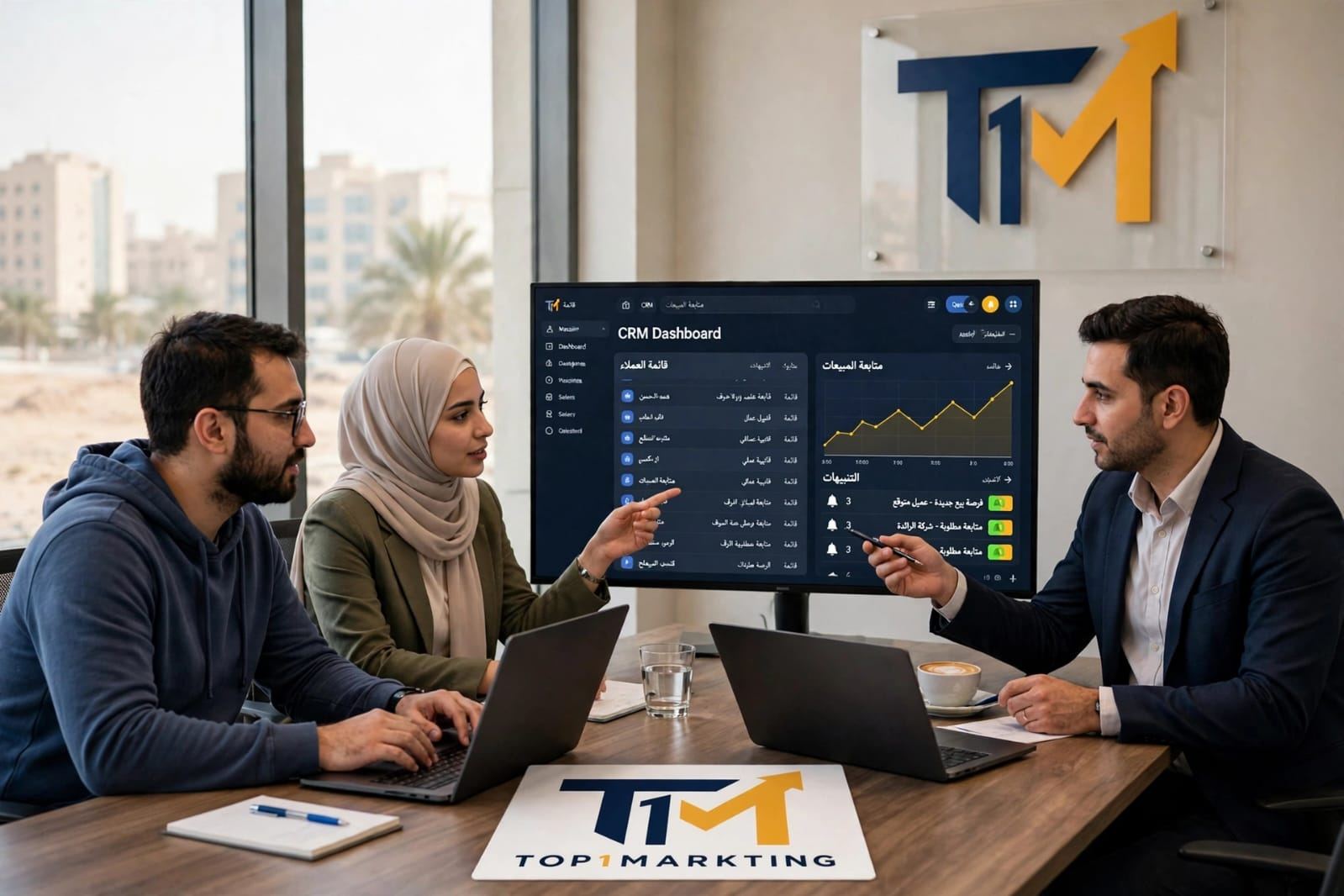
CRM System Development Company for Businesses in Al-Qassim | Customer Relationship and Sales Management System
0549881368
If your company or institution in Al-Qassim relies on Excel files, messaging conversations, or multiple phones to record customer information and track sales, organizing daily operations and reviewing your team's performance can become increasingly difficult as the number of customers and orders grows. This is where a customized CRM system comes in. It brings customer data, communication history, sales opportunities, deals, and orders together on one platform, helping management monitor every stage of the customer relationship.
Top1Markting provides CRM system design and development services in Al-Qassim, building customized customer relationship management and sales software based on the nature of your business and its actual operational procedures. The system can include an organized customer database, call and communication records, sales opportunity and quotation tracking, deal pipeline management, sales representative task management, field visit scheduling, order registration, and performance reports through a unified dashboard.
CRM development is not limited to providing ready-made software for entering data. A customized CRM can be programmed to reflect how your company distributes customers among employees, follows up with potential customers, assigns user permissions, and moves sales opportunities from the first contact to closing a deal. This allows your company to obtain a customer and sales management system that matches its current requirements, with the flexibility to add more functions as the business grows.
Whether you manage a company or institution in Buraidah, Unaizah, Ar Rass, Al Bukayriyah, or any other city in the Al-Qassim Region, you can contact Top1Markting to discuss your project requirements and determine the cost of developing a suitable CRM system. Call 0549881368 to request a quotation and identify the features your team needs.
Best CRM System Development Company for Businesses and Institutions in Buraidah and Al-Qassim

When searching for the best CRM development company in Al-Qassim, choosing a provider should not depend solely on the software interface or the number of advertised features. It is important to evaluate the development company's ability to understand your business, analyze its sales cycle, and transform the requirements of employees and management into practical system functions. The success of a customer relationship management system depends on organized data, easy follow-up registration, clearly defined sales stages, and the ability to generate reports that support management decisions.
Top1Markting designs and develops customized CRM systems for companies and institutions, starting with requirements analysis and project scope definition, followed by user interface design, database architecture, and function development, and ending with system testing and dashboard preparation. The planning process includes defining how customers are registered, assigned to employees, and followed up, as well as how sales opportunities, orders, permissions, and reports are managed according to the agreed business procedures.
It is important to distinguish between designing an attractive interface and building a complete management system. A good interface makes software easier to use, but a functional system also requires organized databases, programming logic that connects operations, clear user permissions, and reliable mechanisms for saving updates and tracking activities. The system should also be scalable so that new users, departments, or functions can be added as the company grows and its customer base expands.
A Specialized Company for Designing and Developing CRM Systems According to Your Business Activities
CRM requirements differ from one company to another. A distribution company needs to organize customers and orders and monitor sales representatives, while a service company may need to register customer requests, track service delivery stages, and maintain communication records. Businesses with field sales teams need to organize visits, tasks, and commercial opportunities. Therefore, developing a customized customer management system begins with understanding the business before defining its technical features.
A customized CRM system developed by Top1Markting can include various functions determined according to project requirements, such as:
-
Customized customer information: Creating fields suitable for the business, such as customer name, contact details, city, service type, and customer source.
-
Sales pipeline organization: Creating clear stages beginning with registering a potential customer, followed by communication and follow-up, quotation submission, and eventually closing the deal or recording the reason it was not completed.
-
Sales opportunities and order management: Registering commercial opportunities and orders and linking them to the relevant customer and responsible employee.
-
User permission management: Defining what employees and managers can view or modify according to their roles.
-
Business-oriented user interfaces: Designing clear screens that help employees enter information and complete tasks while giving management an organized overview of operations.
-
Future scalability: Preparing a system structure that allows additional departments, reports, and procedures to be introduced when required.
The objective is to develop CRM software for companies that reflects their actual business processes instead of forcing employees to change their procedures to fit generic software that does not cover all their requirements.
Choosing a Programmer and Technical Engineer Who Understands the Sales Cycle and Can Turn It into a CRM System
CRM development is not simply about writing code. It requires transforming daily business procedures into connected steps within the software. For this reason, the development process begins by understanding how the company receives customers, distributes them among the sales team, records communications and visits, and follows up on quotations and orders. The next step is identifying the functions needed to organize these operations within the system.
Depending on the project scope, implementation tasks may include:
-
Requirements analysis: Studying the sales cycle and employee procedures and identifying the required data and functions before programming begins.
-
User interface and experience design: Organizing customer, opportunity, task, and reporting screens to make them clear and easy to use.
-
Database development: Building an organized structure for storing customer information, communication history, orders, and deals while connecting related records.
-
Backend programming and system logic: Implementing operations, permissions, and rules governing how opportunities move between sales stages.
-
Function testing: Verifying that data is recorded and updated correctly, permissions and reports work properly, and all agreed functions operate as expected.
Through these stages, Top1Markting transforms business requirements into clear technical specifications before implementation, ensuring that every part of the system serves a specific operational purpose rather than introducing unnecessary features.
Comparing CRM Development Companies and Choosing the Right Solution Based on Quality and Cost
When comparing CRM development companies in Buraidah and Al-Qassim, price should not be the only selection criterion. Two quotations may differ because one includes a customer database, management dashboard, sales management, and reports, while another covers only limited basic functions. Therefore, reviewing the project scope and technical details is essential before making a decision.
The most important points to review when comparing customer management system development proposals include:
-
Included functions: Ensuring that the proposal specifies the required customer, sales, opportunity, order, and visit management features.
-
Dashboard details: Understanding the screens, reports, and management capabilities provided to users.
-
System architecture quality: Reviewing database organization, user permissions, data storage, and update mechanisms.
-
Scalability: Confirming whether new users, departments, or functions can be added in the future.
-
Technical support and maintenance: Identifying what support is provided after delivery and how errors and updates are handled.
-
Project delivery and ownership: Clarifying how the project, files, data, and usage rights will be delivered under the agreement.
-
Timeline and total cost: Ensuring that implementation stages, estimated duration, and costs of additions outside the agreed scope are clearly explained.
This comparison helps businesses choose a company that offers appropriate value for their project requirements instead of paying for unnecessary features or selecting a low-cost proposal that does not cover essential needs.
You can contact Top1Markting to discuss your company's requirements in Buraidah, Unaizah, Ar Rass, or other parts of Al-Qassim, define the CRM development scope, and receive a quotation based on the required functions.
Customized CRM System Design for Managing Customer Data and Company Databases in Al-Qassim
Companies and institutions need an organized database that brings current and potential customer information together instead of distributing it across Excel files, phones, conversations, and different employee records. Therefore, designing a customer data management system is an important step toward organizing operations, making information easier to access, and tracking previous interactions, particularly when the sales team handles a large number of customers.
Top1Markting provides CRM database programming services for companies in Al-Qassim by developing systems that allow businesses to create an individual profile for each customer and record contact information, associated company details, the person responsible for communication, customer acquisition source, call history, meetings, notes, and previous orders.
Customer categories and information fields can be customized according to the business, whether the company operates in trading, distribution, services, or field sales.
The system can also include search and filtering tools that help employees access records quickly, identify similar data, and reduce duplicate customer profiles. User permissions can be configured to control who can add, modify, or view information. During development, access to customer data is organized and protected according to agreed permissions and security mechanisms, ensuring that the database remains manageable as the number of customers and users increases.
Creating a Complete Profile for Each Customer and Recording Contact Details and Interactions
Creating an individual profile for each customer helps keep all related information in one place instead of requiring employees to search through old conversations or ask colleagues about previous interactions. Through customer profile management software, employees can record individual or company details, identify the primary contact person, and save communication channels and notes related to every interaction.
A customer profile within a customized CRM system can include:
-
Basic information: Customer or company name, phone number, email address, city, and address when necessary.
-
Contact person details: Name of the responsible contact, job title, and available communication methods.
-
Business information: Company's industry and the products or services it is interested in.
-
Communication history: Dates of calls, meetings, follow-ups, and conversations recorded by employees.
-
Internal notes: Customer requirements, agreements, and important information for the sales team.
-
Attachments and documents: The ability to link quotations, files, and documents related to the customer according to the system scope.
The interaction history provides a chronological overview of the customer relationship, allowing the responsible employee or an authorized manager to understand previous activities and identify the next required follow-up action. This approach also helps maintain continuity when customer responsibility is transferred from one employee to another.
Classifying Potential Customers by Source, Interest, and Purchasing Stage
Recording customer information in a database is not enough without organizing customers into groups that help the sales team prioritize its work. Therefore, a lead management system can be programmed to classify each lead according to its acquisition source, the product or service it is interested in, its readiness to make a purchasing decision, and its current stage in the sales cycle.
CRM functions can include:
-
Recording customer sources: Identifying whether the customer came from the company website, an advertisement, a direct call, a referral, or another channel used by the company.
-
Identifying interests: Linking the customer to the product or service they requested information about.
-
Evaluating interest levels: Using company-defined categories such as interested, requires follow-up, or ready to discuss a quotation.
-
Defining purchasing stages: Recording the customer's position within the organization's approved sales stages.
-
Prioritizing follow-ups: Helping employees identify customers whose requests or inquiries require earlier attention.
-
Filtering customer lists: Displaying customers by source, region, responsible employee, service type, or opportunity status.
This transforms customer classification software from a simple list of names and phone numbers into a tool that helps management understand potential customer sources and organize commercial opportunities more effectively.
Classification criteria can be customized according to the company's sales process instead of imposing fixed categories that do not match its business.
Searching for Customers, Updating Their Information, and Preventing Duplicate Records
As a company's database grows, quickly searching for customers and updating their information become essential CRM functions. Employees may need to find a customer using a name, phone number, or email address, or review all customers associated with a specific region or employee.
Therefore, customer database search functions can be developed to provide filtering tools that help users locate the required record without manually reviewing long lists.
Possible functions include:
-
Multiple search options: Finding customers using their name, phone number, email address, company name, or record number.
-
Advanced filtering: Sorting results by city, customer source, interaction status, responsible employee, or last follow-up date.
-
Identifying similar records: Comparing information such as phone numbers, email addresses, and company names to detect potentially duplicated records.
-
Updating customer information: Modifying details when contact numbers, contact persons, or business information change, while saving updates according to the system's rules.
-
Managing editing permissions: Defining which employees can add records, modify information, or merge duplicate records.
-
Maintaining data quality: Organizing information entry procedures and defining required fields to reduce errors and incomplete records.
Similar records should be handled according to clear rules because two similar names or companies do not necessarily represent the same entity. The system can therefore display a warning for users to review the information before merging records, while maintaining an update history according to the agreed requirements.
Top1Markting works on defining the database structure, search functions, classification tools, and update mechanisms according to the company's business size and customer management procedures, whether in Buraidah, Unaizah, Ar Rass, Al Bukayriyah, or other cities and governorates in Al-Qassim.
Sales Management and Sales Pipeline CRM Development for Companies in Al-Qassim
Companies with sales teams need to know what happens to each customer after the first inquiry. Has the customer been contacted? Has a quotation been sent? Has the opportunity entered negotiation? Has it become a successful deal, or has it been lost?
This is where sales management within CRM becomes important. It allows every sales opportunity to be tracked from the beginning until the deal is completed or the reason for losing it is recorded, instead of relying on manual follow-ups and scattered files.
Top1Markting provides Sales Pipeline design services for companies in Al-Qassim by developing systems that allow businesses to create sales stages according to their actual business processes and link each opportunity to the customer profile and responsible employee.
The system can record deal value, expected closing date, and negotiation status. Management can monitor open opportunities, successful and lost deals, sales team performance, and opportunity sources through a unified dashboard.
The sales pipeline is determined according to the company's actual sales cycle. Stages may begin with registering a potential customer, followed by initial communication, understanding customer requirements, sending a commercial quotation, negotiation, approval, and order completion.
Quotations and orders can also be linked to registered opportunities to ensure that commercial information remains connected to the customer's record.
This organization helps companies and institutions in Buraidah, Unaizah, Ar Rass, Al Bukayriyah, and other parts of Al-Qassim monitor sales operations more clearly, with the ability to customize the system according to agreed business procedures.
Designing Sales Stages from Lead Registration to Deal Closing
Designing sales stages within CRM helps companies understand the current status of each customer and move opportunities through organized steps.
Instead of having a long list of customers without knowing what has happened with them, employees can register each opportunity under a specific stage and update its status whenever communication progresses or new information becomes available.
A sales pipeline system may include stages such as:
-
New Lead: Registering customer information, the requested product or service, and the source of the inquiry.
-
Initial Contact: Documenting the first call, message, or meeting with the customer.
-
Requirement Identification: Recording customer requirements, budget, or requested specifications when available.
-
Quotation Preparation: Preparing an appropriate quotation or proposal and linking it to the customer's profile.
-
Negotiation: Tracking customer comments, questions, and requested changes to the proposal.
-
Awaiting Approval: Recording opportunities that have reached the quotation review or purchasing decision stage.
-
Won Deal: Updating the opportunity status when the customer approves and the sale is completed according to company procedures.
-
Lost Deal: Closing the opportunity and recording the reason, such as choosing a competitor, unsuitable pricing, or postponing the decision.
Companies do not have to use identical stages. Stage names and sequences can be customized according to the actual sales cycle, whether the business relies on direct sales, contracts, distribution, or service delivery.
This flexibility ensures that sales cycle management software matches the company's working procedures instead of imposing an unsuitable process.
Tracking Sales Opportunities, Deal Values, and Closing Probabilities
Sales opportunity management is not limited to knowing how many customers are registered in the system. It also includes monitoring the commercial value of each opportunity, its expected completion date, and its progress through the sales pipeline.
Through a sales opportunity tracking system, management can identify high-value opportunities, deals that have passed their follow-up dates, and customers who need additional communication before making a purchasing decision.
Each sales opportunity can include:
-
Estimated value: Recording the expected deal value based on the required products or services.
-
Expected closing date: Setting an estimated date for completing the sale and reviewing it when negotiation circumstances change.
-
Closing probability: Entering an estimated percentage based on company-defined criteria or the current sales stage.
-
Opportunity status: Identifying whether the opportunity is open, under negotiation, postponed, won, or lost.
-
Responsible employee: Linking the opportunity to the assigned sales representative or employee.
-
Update date: Maintaining the latest opportunity update and recording actions taken.
These details can be displayed through indicators and reports that help management review the value of open opportunities, monitor delayed deals, and evaluate sales activity over a selected period.
Sales forecasting reports can also be developed based on opportunity values and estimated closing probabilities. However, the accuracy of these forecasts depends on data quality and employees consistently updating deal stages. They are estimates, not guarantees of future sales.
Managing Quotations, Negotiations, and Converting Opportunities into Orders
Customer quotations should be linked to the customer profile and sales opportunity within CRM so that employees and management can review quotation details and understand their status without searching through separate files or entering the same information again.
Therefore, a quotation management system can be programmed to connect every quotation with the relevant customer and commercial opportunity.
Possible functions include:
-
Quotation registration: Creating a record for each quotation and linking it to the customer, responsible employee, and related opportunity.
-
Quotation line items: Recording products or services, quantities, prices, discounts, and commercial terms according to the business.
-
Quotation status tracking: Identifying whether a quotation is being prepared, sent, awaiting modification, approved, or rejected.
-
Negotiation documentation: Recording customer comments and requested changes while maintaining a history of versions and updates according to the system scope.
-
Approval tracking: Defining the quotation approval status and the action required to proceed to the next stage.
-
Converting quotations into orders: When a customer accepts a quotation, the system can link the approved quotation to a new sales order according to the company's workflow, without requiring all customer and transaction details to be entered again.
This makes customer quotation tracking part of the sales pipeline and helps connect inquiries, opportunities, quotations, and orders within one commercial record.
These functions can be customized according to the company's activities, whether it sells products, provides services, or handles supply and contract requests.
CRM System Design for Managing Sales Representatives and Field Visits in Al-Qassim
If your business depends on sales representatives who visit customers and follow up on orders outside the office, organizing the sales team requires more than a customer database.
Management needs to know which customers are assigned to each representative, which visits are scheduled and completed, the results of customer meetings, and which tasks still require follow-up.
A field sales CRM system can connect customer information with employee responsibilities, visit schedules, and activity reports.
Top1Markting develops sales representative management systems according to company requirements. The system can distribute customers among employees based on regions, business types, or responsibilities, create visit appointments, record visit results, and link every follow-up action to the customer's profile.
Reports can also display the number of visits, new customers, opportunities, and orders associated with each representative, helping management evaluate performance using actual recorded data.
System functions differ according to the business. A distribution company may need to monitor customers and recurring orders, while a service company may require meeting schedules and contract progress tracking.
GPS visit location recording can also be added when there is a clear operational need. This is an optional feature subject to appropriate approvals, permissions, and privacy settings.
Assigning Customers and Sales Territories to Representatives
Assigning customers to sales representatives helps define responsibilities, prevent overlapping follow-ups, and ensure that customers are not left without a clearly assigned contact person.
Through a sales team management system, each customer can be assigned to a specific employee, with customer lists organized according to cities, sales territories, business types, or account categories.
CRM development can include:
-
Customer assignment: Assigning each customer or business account to a responsible sales representative.
-
Sales territory division: Organizing customers according to cities, neighborhoods, or geographic areas defined by company management.
-
Assignment by business activity: Assigning customers to employees according to product categories, services, or sales specialization.
-
Customer reassignment: Transferring customer responsibility to another representative when work distribution or responsibilities change.
-
Representative permissions: Controlling which customers and records each employee can access or modify.
-
Preventing overlapping follow-ups: Displaying the employee responsible for each customer to reduce unorganized duplicate communication among team members.
Customer distribution rules can be customized according to company size and sales territory management procedures, with the ability to review and modify assignments through the management dashboard.
Scheduling Field Visits and Recording Customer Meeting Results
Scheduling representative visits helps organize appointments and identify the customers who need to be visited during the day or week, instead of relying on memory or separate spreadsheets.
Each appointment can be linked to the customer's profile and responsible employee, with the visit date, time, status, and required follow-up action recorded.
A field visit management system can include:
-
Creating visit appointments: Selecting the target customer, appointment date, and assigned representative.
-
Updating visit status: Recording whether a visit is scheduled, completed, postponed, or not completed.
-
Recording meeting results: Writing a summary of the discussion, customer requirements, and products or services of interest.
-
Adding representative notes: Saving information that helps employees continue communication after the visit.
-
Scheduling the next follow-up: Creating a new task or appointment based on the meeting outcome.
-
Recording reasons for non-completion: Explaining why a visit was canceled or postponed when applicable.
-
Reviewing visit history: Displaying all previous meetings associated with the customer's profile.
This allows managers to review visit schedules, monitor completed visits, and reschedule pending appointments. Representatives can also review customer records before every new meeting.
Monitoring Sales Representative Performance, Visits, Opportunities, and Orders
Sales management needs clear reports to understand team activity and business results instead of relying only on verbal reports.
A sales team performance dashboard can display representative data over a selected period and connect visit activity with the opportunities and orders generated.
Depending on company requirements, indicators may include:
-
Number of scheduled, completed, and postponed visits.
-
Number of new customers registered by each representative.
-
Number of sales opportunities created and their current stages.
-
Number of quotations sent and their approval or rejection status.
-
Number of orders and deals associated with each representative.
-
Recorded sales value during the selected period.
-
Opportunity conversion rates between sales stages based on available data.
-
Completed, pending, and overdue tasks and follow-ups.
The number of visits alone should not be used to evaluate representative performance. Customer value, opportunity quality, and the nature of different sales territories may vary between employees.
Therefore, performance indicators can combine representative activity, commercial results, and follow-up quality according to management objectives and the business model.
Adding GPS Location Tracking for Visits When Required
Some companies may need to record the geographical location of a field visit to verify that the visit record corresponds to the location where the customer meeting took place.
A GPS feature can be added to the CRM system when there is a genuine operational requirement. The system can record the visit location when the visit is completed, according to clearly defined settings and permissions.
It is important to distinguish between recording the location of a specific visit and continuously tracking a representative's movements. These are two different functions, and a sales management system does not necessarily require continuous location tracking.
The implementation may be limited to recording visit coordinates when the visit is confirmed, while considering the following:
-
Defining the purpose: Clarifying why location information is recorded and which visits require this feature.
-
Location permissions: Using GPS according to device permissions and required approvals.
-
Access permissions: Defining who is authorized to review visit location records.
-
Privacy protection: Respecting employee privacy, company policies, and applicable regulations.
-
Visit record retention: Linking the location to the visit date, customer, and responsible employee when this function is approved.
GPS remains optional. A CRM system for managing representatives and visits can be developed without it if the company does not require location recording.
The implementation method is determined within the project scope before programming begins to ensure that operational requirements and privacy considerations are addressed.
CRM Development for Managing Customer Orders, Sales, and Inventory in Al-Qassim
Companies handling large numbers of customers and orders need a system that organizes the order cycle from registration to completion and delivery.
Relying on conversations or separate spreadsheets can make it more difficult to track orders and identify the employees responsible for them.
A CRM system for customer and sales order management can connect every order to the customer profile, deal, and responsible sales representative while recording requested products or services, quantities, order value, and current status.
Top1Markting analyzes the company's workflow and determines how orders should be registered, reviewed, approved, executed, and completed before developing a tracking system that matches its actual procedures.
The system dashboard can include statuses such as New Order, Under Review, Approved, In Progress, Ready for Delivery, Completed, or Canceled, while highlighting delayed orders and tasks requiring employee attention.
It is important to distinguish between CRM and ERP systems. CRM focuses on customer relationship management, opportunities, deals, communication, and sales, while ERP covers a broader range of internal operations, including inventory, procurement, accounting, and human resources.
A CRM system can be connected to inventory or invoicing software when the company requires this integration and the systems support the necessary technical connection.
The project scope is determined according to the company's needs and available systems, whether the business operates in Buraidah, Unaizah, Ar Rass, or other cities and governorates in Al-Qassim.
Registering Customer Orders and Linking Them to Representatives and Deals
A customer order registration system helps companies identify the source of every order, the responsible employee, and the deal that generated it, instead of treating orders as separate records disconnected from customer history.
When a new order is created, the system can generate a unique order number and record its creation date, customer information, and responsible representative, along with the requested products or services, quantities, order value, and approval status.
Linking the order to the customer profile within CRM allows employees to review previous orders and follow up on related conversations, quotations, and transactions.
The order can also be connected to the quotation, sales opportunity, or deal that resulted in its creation, helping management understand the relationship between sales activities and actual orders.
This approach allows sales orders to be tracked through CRM by identifying the person responsible for each order and updating its status according to assigned permissions.
Notes can also be added, and follow-up responsibility can be transferred to another employee when necessary.
As a result, companies can identify new orders, orders awaiting approval, and orders requiring additional information without losing details between sales, management, and operations departments.
Tracking Order Status from Registration to Execution and Delivery
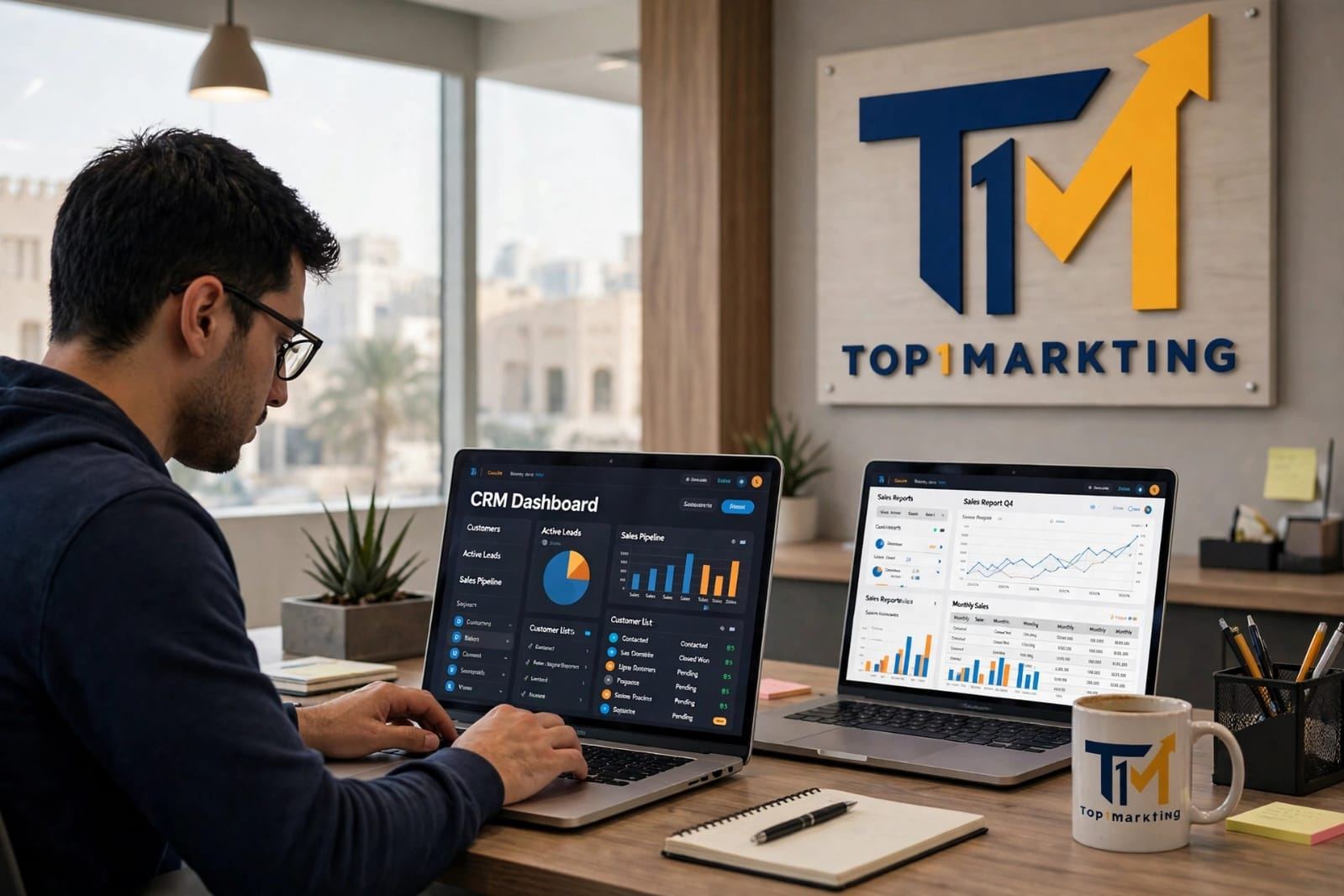
Order management does not end when an order is registered. Companies need to know its current stage and whether it is awaiting review, approval, execution, or delivery.
An order status tracking system can display every order according to the company's approved workflow, with customizable statuses based on the nature of its business.
An order cycle may include:
-
New Order
-
Under Review
-
Approved
-
In Progress
-
Ready for Delivery
-
Completed
-
Canceled
-
Delayed
Employees can update the status when an order moves from one stage to another, while recording notes and reasons for delays or cancellations when applicable.
A commercial order tracking dashboard can also display open orders requiring action, orders that have passed their expected completion dates, and orders awaiting management approval or additional information.
Maintaining a history of changes makes it possible to identify when an order status was updated, who performed the update, and which notes were associated with it.
These functions give management a clearer view of customer order processing and help identify operational bottlenecks and responsibilities between sales teams and employees involved in preparing and delivering orders.
Integrating CRM with Inventory and Invoicing Systems When Required
Some companies need to connect their customer and sales management systems with inventory or invoicing software to avoid entering the same order information multiple times.
In this case, integration development begins by studying the existing systems, how customer, product, and order information is stored, and whether data can be exchanged between them.
If the existing system supports APIs or another suitable integration method, approved orders can be connected to inventory records so that product and quantity details are transferred to the system responsible for monitoring stock balances and product movements.
Customer and order information can also be linked to invoices according to the approved workflow, making it easier to review order values and related invoices.
Integration development includes defining the data to be exchanged, synchronization direction, update timing, and procedures for handling errors or data inconsistencies between systems.
Integration does not mean that every system can automatically connect to any other software. Implementation depends on access permissions, available technical interfaces, and the integration requirements of external service providers.
Therefore, the project may involve an independent CRM system for customers, deals, and orders, a sales management system connected to inventory and invoicing, or part of a broader ERP integration.
Top1Markting determines the appropriate development scope after understanding the company's requirements and the systems it currently uses.
CRM Dashboard Design and Sales Management Reports for Companies in Al-Qassim
A CRM dashboard helps management monitor customers, sales, tasks, and employee performance from one place instead of reviewing multiple files and reports to understand the company's situation.
A customized dashboard can display a summary of customer numbers, new customers, open opportunities, active deals, sales values, and tasks awaiting completion.
Dashboard components depend on business requirements and user permissions.
A sales manager may need to monitor team results and deals, while a sales representative needs to view assigned customers, visits, and upcoming tasks.
Senior management may require overall reports covering sales, teams, regions, and specific time periods.
Top1Markting develops customized sales reports for companies according to the indicators management actually needs, organizing information clearly to support performance reviews, identify overdue tasks, and monitor changes.
The system can also include report filters based on employees, departments, regions, or time periods, along with data export options when included in the project scope.
Dashboard for Monitoring Customers, Opportunities, and Open Deals
A CRM customer monitoring dashboard gives management a quick overview of the customer database and sales opportunity statuses, helping identify accounts that need follow-up before communication stops or a sales opportunity is lost.
The dashboard can display the total number of registered customers, new customers during a selected period, potential customers, open opportunities, and active deals.
By connecting data to the sales pipeline, opportunities can be displayed according to their current stages, such as initial contact, quotation submission, negotiation, or awaiting the customer's decision.
Deals awaiting approval or action from a team member can also be highlighted, allowing management to determine follow-up priorities.
A deal management dashboard can identify customers who have not been contacted within the period defined by the system, customers whose engagement has stopped, and opportunities requiring another call or meeting.
These details help the sales team organize priorities instead of relying on memory or reviewing every customer record individually.
Displayed indicators must be clear and based on defined criteria. For example, the number of new customers differs from the number of qualified leads, and an active deal differs from a closed deal.
Therefore, the definition and data source of every indicator should be determined before adding it to the dashboard to ensure that reports support reliable decision-making.
Sales Performance, Revenue, and Customer Conversion Reports
Sales performance reports help companies evaluate results over different periods, identify the value of closed deals, and compare daily, weekly, or monthly sales.
A revenue reporting system can be programmed to display results according to time period, sales representative, department, or product and service category, depending on the data recorded by the system.
Reports may include:
-
Daily, weekly, and monthly sales performance reports.
-
Comparisons of closed deal values between two time periods.
-
Sales performance by representative or team.
-
Product and service performance based on registered orders.
-
Monitoring open opportunity values and closed deals.
-
Calculating conversion rates from potential customers to opportunities or deals according to clearly defined stages.
A customer conversion rate calculator requires a clear calculation method. A company may measure the percentage of leads that become sales opportunities or the percentage of opportunities that turn into completed deals.
These indicators should not be confused because each uses a different denominator and stage in the sales cycle.
Reports can also be used to compare sales team results and identify periods when performance increased or decreased.
However, analysis accuracy depends on complete data and correct registration of customers, deals, and order values.
A reporting dashboard alone is not sufficient. Companies also need clear procedures for regularly updating information and recording sales stages consistently.
Reports for Visits, Tasks, and Employee Responsibilities
Sales team task reports help management understand what employees have completed and which calls, visits, and follow-ups remain pending, instead of reviewing only the total number of deals at the end of the month.
Each task can be linked to a customer profile, responsible employee, scheduled date, activity type, outcome, and related notes.
A representative activity dashboard can display assigned tasks, completed and overdue tasks, scheduled visits, recorded calls, and upcoming reminders.
Management can also review follow-up history to identify whether the customer received the required call, what resulted from the interaction, and whether another action is necessary.
Reports can be generated by employee, team, or time period, helping management review responsibilities, distribute tasks, and identify incomplete follow-ups.
When required, recorded visits and their outcomes can be displayed alongside the associated opportunities and deals to provide a clearer picture of sales activity.
Employees should not be evaluated based only on the number of calls or visits. Communication outcomes, follow-up quality, customer characteristics, and the opportunities they handle are also important.
Therefore, reports should combine activity indicators with sales results, while limiting access to employee information according to company policies.
A CRM dashboard thus becomes a management tool for monitoring customers, deals, orders, and tasks within one system, with the flexibility to develop reports and integrations gradually according to the requirements of companies and institutions in Buraidah, Unaizah, and other areas of Al-Qassim.
CRM Development Cost in Al-Qassim | Customer and Sales Management Software Prices
The cost of CRM development in Al-Qassim varies according to the company's business activities and required functions. There is no single price suitable for every project simply because it is called a customer relationship management system.
A small company may need basic software for registering customer information, organizing communication, and managing tasks. An institution with a sales team and multiple branches may require a broader system covering sales pipelines, representative management, field visits, sales orders, reports, and integration with inventory or invoicing systems.
Customer management software prices depend on the project scope, number of programming modules and users, level of interface customization, permissions, external integrations, hosting requirements, and support and maintenance arrangements.
The cost of developing a customized CRM also differs from configuring ready-made software because custom programming requires business analysis, function design, implementation, and testing according to company requirements.
Top1Markting reviews project requirements before determining the cost, giving the company a clear understanding of the required functions, what can be implemented in the first phase, and what can be added later.
Therefore, if you are searching for the price of sales management software for companies or want to know the cost of a customer and sales representative tracking system, it is better to request a quotation based on your business requirements rather than relying on a general price that may not reflect the actual project scope.
What Factors Determine the Cost of CRM Development for Companies?
The cost of developing a customer management system depends on several technical and operational factors, particularly the number of required functions and the complexity of the company's sales cycle.
As the number of modules, screens, reports, and integrations increases, the project requires more time for analysis, design, programming, and testing.
The main factors affecting CRM development costs include:
-
Number of programming modules: A project limited to customer profiles and communication history differs from one that includes customer management, opportunities, deals, sales representatives, visits, orders, and inventory.
-
Number of users and branches: The number of employees and branches affects permission design, customer assignment, task distribution, and reporting.
-
Interface customization level: Designing customized screens, fields, and forms according to business requirements may require more work than using generic interfaces.
-
Sales cycle complexity: Sales software development costs vary according to the number of sales stages, approvals, employee transfers, and procedures required to close deals.
-
Representative and visit management features: Adding visit scheduling, visit result registration, territory distribution, and task tracking increases development scope. Additional functions may be needed if location recording is required.
-
External system integrations: Connecting CRM to inventory, invoicing, websites, WhatsApp, or other systems depends on available integration interfaces, access permissions, and technical requirements.
-
Reports and dashboards: Costs are affected by the number of reports, indicator calculations, filters, and comparisons required.
-
Security, hosting, and support: Requirements for account security, data protection, backups, hosting, and maintenance affect the overall project cost according to the agreed scope.
For this reason, calculating the cost of a company CRM system requires identifying essential and additional requirements before estimating the technical work involved in each function.
The Difference Between Basic CRM System Prices and Integrated Sales Management Systems
Customer management software prices vary because there is an important difference between a basic CRM system focused on organizing customer information and a comprehensive sales management system that handles sales stages, employees, orders, and reports.
Basic CRM System:
A basic system may focus on customer registration, contact details, interaction history, tasks, and reminders. It is suitable for companies that want to organize their customer database and track communication without requiring many operational modules.
CRM System with Intermediate Features:
This version can add sales opportunities, deal stages, quotations, sales representative tracking, and performance reports, helping management monitor the customer's journey from initial communication to completed sales.
Integrated Sales Management System:
A comprehensive system may include customer management, sales pipelines, field visits, orders, execution tracking, branches, permissions, and reporting dashboards, with the possibility of connecting the system to inventory, invoicing, or other services according to available technical capabilities.
Therefore, the cost of an integrated CRM system depends on the number of modules, operational complexity, and integrations rather than simply adding a name or screen to the software.
A basic system may be the most suitable starting point, provided that its architecture allows additional modules to be introduced as the company grows.
Top1Markting helps businesses identify the functions they actually need, avoiding unnecessary costs while ensuring that the initial system is not too limited to support their working procedures.
This includes comparing the costs of sales representative tracking, sales dashboards, and order management according to the modules the company wants to implement.
How to Get a Suitable Quotation for CRM Development in Al-Qassim
To receive an accurate quotation, it is best to provide a clear description of your business activities and how your company currently manages customers and sales, rather than simply requesting a CRM software price without specifying the required functions.
The clearer the requirements, the easier it becomes to define the implementation scope, cost, and expected timeline.
Before requesting a quotation, prepare the following information:
-
Company business activity: Does the company operate in trading, services, supply, contracting, or another industry?
-
Number of users: How many employees will use the system? Are there multiple branches or sales teams?
-
Sales management procedures: How does the company receive customers, and what are the stages of follow-up, sales, and deal completion?
-
Sales representative management: Does the company have a field team that needs customer distribution, visit scheduling, and visit result recording?
-
Order management: Do you need to register customer orders, link them to deals, and track their execution?
-
Required reports: Which indicators does management need to review daily or monthly?
-
Integrations: Is there an existing inventory or invoicing system that you want to connect to CRM?
-
Support and hosting: Do you need ongoing hosting, management, and maintenance, or does the agreement cover development and delivery only?
After reviewing this information, a technical and financial proposal can be prepared, explaining the suggested functions, programming scope, integrations, delivery details, and support arrangements, along with an estimated development timeline based on project size.
This provides a clearer basis for comparing company proposals instead of choosing the lowest price without knowing what it includes.
To request a CRM development quotation from Top1Markting for customer and sales management in Al-Qassim, contact 0549881368 and send a brief description of your company's requirements. The project requirements can then be reviewed and the appropriate solution discussed before estimating development costs.
CRM System Analysis, Design, and Development Stages with Top1Markting in Al-Qassim
Successful CRM implementation does not begin with programming immediately. It starts by studying how the company operates and identifying how customers move from the first contact to deal completion, including subsequent orders, tasks, and reports.
Therefore, the development process follows several stages, beginning with business analysis and requirements documentation, followed by interface and database design, function and integration development, and system testing before launch.
Top1Markting transforms company requirements into clear functions that can be implemented within customer and sales management software, while identifying the functions needed in the first phase and those that can be developed in the future.
This approach helps reduce unplanned modifications and clarifies the responsibilities of each stage before proceeding to the next.
CRM implementation time varies according to the number of programming modules, business process complexity, required integrations, and data volume. Therefore, a fixed development timeline cannot be determined for every project before reviewing its requirements.
Analyzing Company Requirements and Studying the Customer and Sales Cycle
The CRM development process begins by analyzing the company's internal procedures to understand how it receives customers, distributes them among employees, follows up on communication, and converts opportunities into completed deals and actual orders.
The objective is to build the system around the needs of employees and management rather than forcing the company to change all its procedures to fit a ready-made template.
Requirements analysis includes:
-
Identifying customer acquisition channels, whether through the website, phone calls, referrals, or other sales channels.
-
Defining the customer journey from initial registration to completed transactions or discontinued opportunities.
-
Studying follow-up procedures, sales steps, quotations, negotiations, and approvals.
-
Identifying the responsibilities of sales employees, representatives, managers, and administration.
-
Understanding how customers, opportunities, and tasks are assigned to employees.
-
Identifying the reports management needs to review business results.
-
Reviewing existing data, software, and external systems that may need integration.
After collecting the required information, functional requirements are documented and divided into essential and additional features, while defining priorities, permissions, and relationships between system modules.
This documentation helps establish an agreed project scope before interface design and programming begin.
Designing CRM Interfaces, Dashboards, and User Experience
After defining the required functions, the next stage involves designing CRM interfaces and dashboards to ensure that information is presented appropriately for each user's responsibilities and daily tasks.
An employee responsible for customers needs a quick screen for entering information and reviewing communication history, while a sales manager needs a dashboard displaying opportunities, deals, tasks, and performance indicators.
System interface design may include:
-
Customer screen: Displaying customer information, communication details, interaction history, and notes.
-
Sales opportunities and deals screen: Monitoring sales stages, quotations, opportunity values, and deal statuses.
-
Tasks and visits screen: Organizing follow-up appointments, calls, visits, and their results.
-
Management dashboard: Displaying customer, sales, deal, task, and reporting summaries.
-
Administrative screens: Managing users, permissions, teams, branches, and system settings.
Different interfaces and permissions are also considered according to user roles so that each employee only sees the data and functions required for their responsibilities under company policy.
Designs can be reviewed before programming to ensure that forms, tables, filters, and navigation between screens are clear and easy to use.
This stage aims to improve the user experience and reduce unnecessary steps, allowing employees to use the system practically instead of making data entry an additional burden.
Programming Databases, Core Functions, and Integrations
At this stage, technical implementation begins by building the database and developing interfaces, backend functions, and business logic connecting the CRM modules.
Data is organized so that customer profiles are linked to opportunities, deals, tasks, orders, and users according to the structure defined during the analysis stage.
Depending on the project scope, programming tasks may include:
-
Building the CRM database and organizing relationships between customer, deal, and order records.
-
Programming customer profiles, information fields, and communication history.
-
Developing opportunity management, sales stages, and deal functions.
-
Implementing employee tasks, customer assignments, and representative tracking.
-
Developing dashboards, reports, and filters.
-
Configuring user roles and administrative permissions.
-
Implementing input validation and error handling.
-
Developing agreed integrations through APIs or other suitable technical methods.
Attention is given to data protection and access management according to user permissions and the nature of the information stored by the company.
Integration with inventory, invoicing, or other software is implemented according to the capabilities of external systems and the integration requirements defined in advance.
Testing the System, Reviewing Reports, and Verifying User Permissions
Before launching the system, its functions must be tested to ensure that every component operates according to the agreed requirements and that data moves correctly between screens and modules.
Testing is not limited to opening pages and checking whether they appear. It also involves testing actual business scenarios that employees will use.
Examples include:
-
Registering a new customer and confirming that the information is saved and displayed in the customer database.
-
Creating a sales opportunity and testing its movement between sales pipeline stages.
-
Linking a deal to the customer and responsible sales representative.
-
Assigning a task or visit to an employee and verifying that it appears in their account.
-
Registering an order, linking it to a deal, and monitoring status updates.
-
Reviewing performance reports and verifying indicator accuracy according to the agreed calculation methods.
-
Testing user permissions and ensuring that every account can only access authorized functions and information.
-
Testing external integrations and reviewing data transfer and potential errors.
Data integrity is also reviewed, including how the system handles unexpected situations such as missing required fields, duplicate records, or attempts to perform actions that exceed user permissions.
After errors are identified, they are corrected and the system is tested again before launch.
This stage helps confirm that the CRM system is suitable for daily use and that core operations and reports work according to the project scope, instead of discovering problems after employees begin relying on it.
Launching the CRM System, Training Employees, and Providing Technical Support
After development and testing are completed, the system environment is prepared and the software is launched according to the agreed delivery plan.
If the company previously used files or software to manage customers, transferring existing data to the new system can be considered when included in the project scope, after reviewing data formatting and quality before importing.
Depending on the agreement, the launch and delivery stage may include:
-
Preparing the system on a suitable hosting environment.
-
Setting up user accounts and permissions.
-
Transferring existing data when agreed.
-
Training administrators and employees to use essential functions.
-
Explaining how to register customers and track deals, tasks, and orders.
-
Explaining dashboard and report usage.
-
Providing a user guide or function documentation when included in the delivery scope.
Technical support and maintenance procedures are also defined after launch, including how issues are reported, reviewed, and handled, as well as how updates and new development requests are managed.
The scope and duration of support should be clearly stated in the agreement so that both parties understand their responsibilities.
CRM implementation does not end with software delivery. The company then begins using the system within its actual business procedures, with the possibility of developing additional functions as new requirements emerge or the business expands.
Why Choose Top1Markting for CRM and Sales Management System Development in Al-Qassim?
If your company is searching for a specialized provider of customer and sales management systems, it is important to choose a development company that can understand your business procedures and transform them into clear software functions rather than simply creating data entry screens.
The success of a CRM system depends on how well it matches the company's customer management, sales, tasks, and reporting processes, as well as its ability to make daily work easier for employees and management.
Top1Markting provides customized website and software system design and development services, focusing on analyzing project requirements and identifying the modules needed by each business.
A system can be developed to combine customer management, opportunities, deals, sales representative tracking, orders, and reports according to a scope agreed upon before implementation.
The development process also considers suitable user interfaces, permission management, data protection, and future scalability.
The programming scope, delivery arrangements, integrations, and technical support are clarified so that the company understands what the project includes before work begins.
Whether your company operates in Buraidah, Unaizah, Ar Rass, Al Bukayriyah, Al Mithnab, or another city in Al-Qassim, choosing a CRM system should begin with identifying actual business requirements and then selecting the technical solution that matches the company's size and budget.
Developing a CRM System According to Company Requirements Instead of Using a Fixed Template
Customer and sales management procedures differ from one company to another.
Trading companies may need to track products, orders, and quantities, while service companies need to organize customer requests, delivery schedules, and tasks.
Businesses that depend on sales representatives may need customer distribution, field visit scheduling, and communication result tracking.
Therefore, customized CRM development focuses on adapting customer information fields, sales stages, data entry forms, permissions, and reports to the company's procedures.
Data can be connected between customers, opportunities, deals, and orders instead of relying on software that imposes an unsuitable workflow.
This approach helps build a customized customer management system that addresses the company's current requirements while allowing additional functions to be introduced when new needs emerge.
The objective is to develop sales software that supports the company's actual operations rather than increasing the number of features without a clear operational benefit.
Developing the System and Adding New Modules as the Business Grows
A company may initially start with a CRM system for customer and task management, then later require additional functions for deals, sales representatives, orders, branches, or advanced reports.
Therefore, system scalability should be considered when planning the software architecture, database, and user permissions.
Future modules may include quotation and order management, additional reports, integration with inventory and invoicing systems, or expanded user and team permissions.
The implementation of these additions depends on the original system design, the nature of the new functions, and their compatibility with the existing architecture.
Sales management software can also be developed to support more users, departments, and branches, provided that technical requirements, performance, and hosting are reviewed before expansion.
Advance planning helps avoid rebuilding major parts of the system whenever business requirements change.
Focusing on Ease of Use and Customer Data Protection
CRM systems contain important information, including customer names, contact details, interaction history, deals, and orders.
Therefore, access permissions and data protection must be clearly organized. At the same time, interfaces should be easy to use so employees can record and review information without unnecessary complexity.
A CRM system can be designed with different permission levels for managers, sales employees, and representatives, defining what each user can view, add, or modify.
Data validation controls can also be implemented, along with organized record access and administrative permissions according to company requirements.
Security considerations may include account protection, backup management, hosting policies, and data handling procedures.
Appropriate technical measures are determined according to the project and the information it handles, while ensuring that users do not receive broader permissions than their responsibilities require.
Technical Support, Maintenance, and Developing System Functions After Delivery
After launching a CRM system, a company may need to resolve technical issues, modify a function, add a report, or develop a new module.
Therefore, it is important to agree in advance on technical support and maintenance scope, assistance request procedures, and the support period.
Technical support may include reviewing problems that occur during system usage and correcting software errors covered by the agreement.
However, adding new modules or developing functions outside the original scope may require a separate agreement specifying additional costs and timelines.
The sales management system can also be updated as business requirements change, whether by adding new fields, improving reports, or connecting the system to additional services.
Organized maintenance helps maintain system usability and review performance while ensuring clarity about which services are included in support and which are considered additional development.
If you are looking for a company to develop a customized CRM system for your business in Al-Qassim, contact Top1Markting at 0549881368 to discuss your business activities and required functions, define the project scope, and request a technical and financial quotation.
CRM Development Services for Companies in Buraidah, Unaizah, and All Governorates of Al-Qassim
Top1Markting provides CRM system analysis, design, and development services for companies and institutions in Buraidah and all cities and governorates of the Al-Qassim Region.
Systems can be customized according to business activities, employee numbers, customer acquisition methods, and procedures for tracking deals and orders.
Whether your company needs a simple customer database management program or a comprehensive system for managing sales teams, representatives, field visits, orders, and reports, the appropriate functions can be identified after reviewing your business requirements.
System development services cover companies in Buraidah, Unaizah, Ar Rass, Al Bukayriyah, Al Badayea, Al Mithnab, Riyadh Al Khabra, Al Khabra, Uyun Al Jiwa, Al Asyah, Ash Shamasiyah, An Nabhaniyah, Adh Dhariyah, Uqlat As Suqur, and other cities and centers across Al-Qassim.
The system can serve one company headquarters or multiple branches, organizing customer, employee, deal, permission, and reporting data through one administrative platform.
Customer management system design depends on the requirements of each business.
A trading company may need product and order tracking, a service institution may need to organize customer requests and execution stages, while a company with a field sales team may require customer distribution, visit scheduling, and follow-up reporting.
Therefore, a single fixed template is not imposed on all businesses. Instead, the required modules and programming scope are determined according to actual business operations.
CRM Development Company for Businesses in Buraidah and Its Neighborhoods
If you are searching for a CRM development company in Buraidah to organize customers and sales within your business, the system should support customer registration, communication tracking, sales opportunities, deals, and employee task distribution.
CRM software can be developed for companies and institutions with sales teams or multiple departments dealing with customers, with the ability to connect orders to customer profiles, responsible representatives, and associated deals.
CRM development services in Buraidah can serve businesses located in different neighborhoods and areas, including Al Sufra, Al Fayziyah, Ar Rayyan, Al Ufuq, Ar Rabwah, An Nahdah, Al Muntazah, Ash Shiqqah, Ad Dahi, An Nakhil, Al Iskan, Al Yarmuk, Al Qadisiyah, As Safa, Ash Shuruq, Al Hamra, Al Wurud, Ar Rawabi, As Salam, Al Khubayb, Al Murqib, As Sabakh, Al Khaleej, At Takhassusi, Al Basatin, Al Muraydisiyah, and Khab Al Baridi.
The system can be customized to manage local customers, deals, sales representatives, and order follow-ups, with clearly defined permissions for sales employees, managers, and administrators.
If the company has multiple locations or teams, customer records, users, and reports can be organized by branch or region.
Whether you need a customer management system programmer in Buraidah or want to develop dedicated sales software for your institution, the first step is identifying your business procedures and required functions before preparing a technical proposal and quotation.
Developing CRM and Customer Management Systems for Companies in Unaizah and Its Neighborhoods
Companies and institutions in Unaizah need to organize customer information, deals, and order follow-ups, especially when inquiries arrive through multiple channels or several employees are responsible for customer communication.
A customer management system in Unaizah can combine contact details, interaction history, sales opportunities, and tasks in one database, while defining each employee's responsibility for assigned customers and deals.
Sales representative and field visit management functions can also be added to record scheduled visits, meeting results, notes, and required next steps.
These functions help management monitor the sales team and identify customers who need additional communication instead of relying on separate files or manual records.
A CRM system can serve businesses in Unaizah neighborhoods such as Al Manar, Ar Rayyan, Ar Rawabi, Al Ashrafiyah, As Safa, Al Khalidiyah, Al Khuzama, Al Yarmuk, Al Hamra, An Narjis, Al Fayha, As Salam, Ash Shuruq, Al Muruj, Ar Rahmaniyah, As Sulaymaniyah, Al Waha, Al Sina'iyah, Al Hajib, Al Qayrawan, Al Bustan, and An Nakhil, among other areas of the city.
Required functions differ according to business activities.
One company may need sales tracking and quotation management software, while another may need to organize commercial orders and connect them to customers and deals.
Reports can also be prepared to display sales team performance, open tasks, and deals awaiting customer decisions according to the data recorded in the system.
Developing CRM Systems for Companies in Ar Rass, Al Bukayriyah, and Al Badayea
Customized CRM systems can be implemented for companies and institutions in Ar Rass, Al Bukayriyah, and Al Badayea, whether the objective is to organize customer databases, manage sales, or track sales representatives and orders.
System development begins by identifying the nature of the business and its daily procedures, followed by selecting the functions that help employees register information, follow up with customers, and manage deals more effectively.
In Ar Rass, customer and sales management software can be developed for companies in areas such as Al Hazm, As Salam, An Nakhil, Al Yarmuk, Ar Rawdah, Al Muntazah, King Khalid, King Abdulaziz, Al Sina'iyah, An Nahdah, Ar Rayyan, and Az Zahrah.
The system can register customers, assign them to employees, track quotations and deals, manage orders, and generate reports on sales results and tasks.
In Al Bukayriyah, a CRM system can be designed for commercial and service institutions in neighborhoods and areas such as Ar Rayyan, An Nahdah, Al Basatin, Ar Rawdah, Al Jami'ah, Ar Rabwah, Al Manar, An Nakhil, Al Amal, Ar Rabi', As Safa, and Al Sina'iyah.
The system can be customized to track customers and orders, assign responsibility for each sales opportunity, and organize employee permissions and administrative reports.
In Al Badayea, a customer management system can be developed for businesses in areas such as Al Iskan, Al Faisaliyah, Al Jami'ah, Al Murqib, Al Quds, Ar Rawdah, Al Andalus, Al Khaleej, An Nahdah, Ar Rayyan, Al Manar, Qurtubah, and As Salam.
Possible functions include customer registration, interaction history, sales opportunity management, tasks, and representative tracking according to business requirements and team size.
Companies in Ar Rass, Al Bukayriyah, and Al Badayea can therefore request customized sales software or CRM development instead of relying on generic programs that do not match their procedures.
Functions and costs are determined after reviewing each business's actual requirements.
CRM System Development for Companies in Riyadh Al Khabra, Al Khabra, Uyun Al Jiwa, and Al Asyah
Customer management system development services cover companies and institutions in Riyadh Al Khabra, Al Khabra, Uyun Al Jiwa, and Al Asyah.
Systems can be designed according to employee numbers, business activities, and customer database size.
Companies can begin with essential CRM functions, such as customer registration, classification, and communication documentation, and then add deal management, orders, visits, and reports when required.
Companies that rely on sales teams can use the system to distribute customers and opportunities among employees, assign responsibility for each follow-up, and record the results of calls and visits.
Businesses handling recurring orders can customize functions for order registration, status tracking, and customer profile integration.
A dashboard can also display customer numbers, open opportunities, active deals, and overdue tasks, with reports organized by employee, department, or time period.
System components are determined after reviewing the requirements of companies in Riyadh Al Khabra, Al Khabra, Uyun Al Jiwa, and Al Asyah instead of adding modules the business does not need.
Developing CRM and Sales Management Systems for Companies in Al Mithnab, Ash Shamasiyah, An Nabhaniyah, Adh Dhariyah, and Uqlat As Suqur
Some companies in Al-Qassim governorates and centers need a system that combines customer information, sales tracking, and order management in one place, particularly when several employees or representatives handle inquiries and sales operations.
A customized CRM system can be developed for companies in Al Mithnab, Ash Shamasiyah, An Nabhaniyah, Adh Dhariyah, and Uqlat As Suqur, with functions determined according to business size and management procedures.
Target services and keywords in these areas include CRM development in Al Mithnab, customer management systems in Ash Shamasiyah, sales management system development in An Nabhaniyah, CRM design in Adh Dhariyah, and customer management software development in Uqlat As Suqur.
These systems can include customer, opportunity, and deal registration, employee task assignment, sales order tracking, and sales performance reports.
Sales representative and field visit management modules can also be added when required, with customers organized according to regions or assigned employees.
If the company uses another inventory or invoicing system, integration can be evaluated according to available technical capabilities.
Businesses in these areas can discuss their requirements and request a remote quotation, specifying required functions, number of users, and integrations before implementation begins.
The objective is to provide a system that supports actual company procedures, whether the business is a small organization needing customer management or an institution with a sales team and more complex operations.
Frequently Asked Questions About CRM and Sales Management System Development in Al-Qassim
How Much Does CRM System Development Cost for Companies in Al-Qassim?
The cost of CRM development in Al-Qassim varies according to the number of users, required modules, sales cycle complexity, integrations, and additional features.
A basic customer management system differs from an integrated system that includes sales representatives, field visits, orders, inventory, and reports.
Therefore, the cost is determined after analyzing company requirements, defining the necessary functions, and preparing a suitable technical and financial proposal.
Can a Customized CRM System Be Designed for My Business?
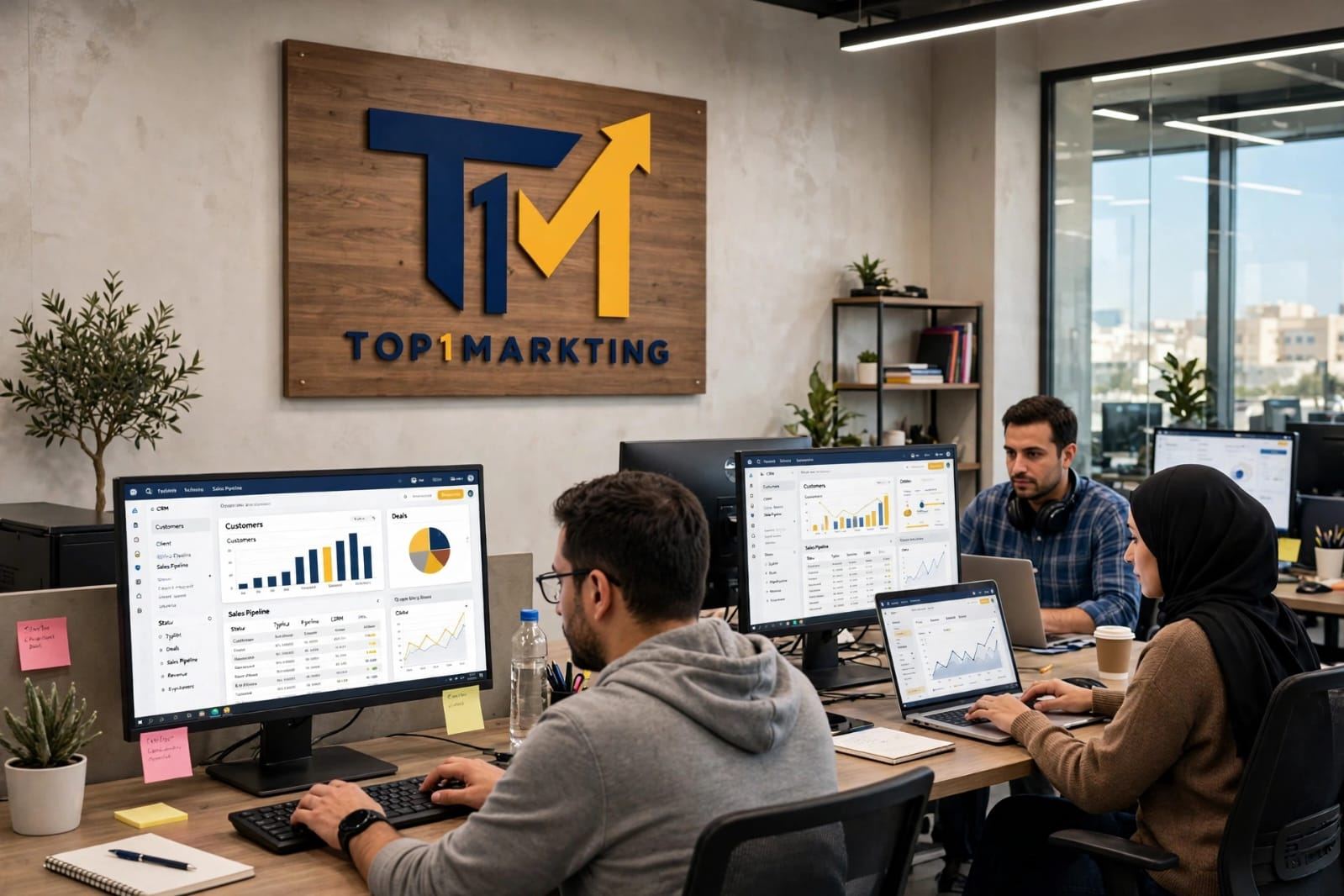
Yes. A customized CRM system can be designed according to your company's business activities and operational procedures.
This includes customizing customer fields, sales stages, deals, permissions, reports, and tasks, with the possibility of adding order, representative, and visit management functions according to company requirements.
The objective is to make the system compatible with your business procedures instead of relying on a fixed template.
Can a CRM System Be Connected to a Website to Register Customers Automatically?
Integration between website contact forms or quotation request forms and a CRM system can be evaluated so that potential customer information and inquiry sources are registered in the customer database automatically.
This helps the sales team follow up on new requests, distribute them among employees, and record communication results according to the available technical integration methods and website capabilities.
Can Sales Representatives and Field Visits Be Monitored Through the System?
Yes. Functions can be developed to manage customers assigned to representatives, schedule visits, record meeting results, save notes, and create upcoming tasks.
Reports can also be prepared to display visits, calls, completed tasks, and overdue activities.
GPS can be added to record visit locations when required, while respecting privacy and obtaining the necessary approvals.
It is important to distinguish between recording the location of a specific visit and continuously tracking a representative.
Can CRM Be Connected to WhatsApp and Email?
Integration between CRM, WhatsApp, and email can be evaluated to organize communication records, send notifications, and monitor conversations, depending on available official integration interfaces, service provider requirements, and the type of account being used.
The functions that can be implemented are identified before approving the integration within the project scope.
Can Multiple Branches and Sales Teams Be Managed Through One System?
Yes. A CRM system can be designed to manage multiple branches, departments, or sales teams, with separate permissions for each user or group.
Customers, deals, and tasks can be organized by branch or region.
Separate reports can be provided for each branch, along with unified management reports according to the company's organizational structure.
Can CRM Be Connected to Inventory and Invoicing Systems?
Integration between CRM and the company's inventory and invoicing systems can be evaluated to connect customer information, orders, products, quantities, and invoices while reducing duplicate data entry.
Integration feasibility depends on available APIs or other suitable connection methods, access permissions, and the technical requirements of the systems being used.
How Long Does CRM Design and Development Take?
The implementation timeline depends on project size, number of programming modules, function complexity, and required integrations.
A system limited to customer management differs from one that includes sales, representatives, field visits, orders, inventory, and reports.
A development schedule is determined after analyzing requirements and agreeing on the implementation scope and delivery stages.
Can a CRM System Be Developed After Launch and Updated with New Features?
Yes. The system can be planned for future development, including new modules, reports, permissions, and integrations as the company grows.
It is best to consider scalability when designing the database and software architecture from the beginning so that future additions can be evaluated without necessarily rebuilding the entire system.
Does Top1Markting Provide Technical Support After CRM System Delivery?
Technical support, maintenance, and updates can be agreed upon after system delivery.
The support period, service scope, issue reporting procedures, and handling of additional development requests are clarified within the project proposal and customer agreement.
Does Top1Markting Provide CRM Development Services Only in Buraidah or Throughout Al-Qassim?
Top1Markting targets companies and institutions throughout the Al-Qassim Region, not only Buraidah.
CRM and sales management systems can be discussed and developed for businesses in Buraidah, Unaizah, Ar Rass, Al Bukayriyah, Al Badayea, Al Mithnab, Riyadh Al Khabra, Al Khabra, Uyun Al Jiwa, Al Asyah, Ash Shamasiyah, An Nabhaniyah, Adh Dhariyah, Uqlat As Suqur, and other cities and centers in the region.
How Can I Request CRM Development for My Company in Al-Qassim?
You can contact Top1Markting at 0549881368 and explain your business activities, number of users, and required functions, such as customer management, deals, sales representatives, visits, orders, and reports.
After reviewing your requirements, the project scope and suitable technical solution can be discussed, followed by a quotation outlining the proposed functions, cost, and expected timeline.
If your company operates in Buraidah or any other city or governorate in Al-Qassim and needs a system that organizes customers and sales according to its business procedures, start by identifying your requirements and requesting a technical proposal for a customized CRM system from Top1Markting.
Contact Top1Markting to Develop a Customized CRM System for Your Company in Al-Qassim and Request a Quotation
If your company needs a more organized system for managing customers, sales, and team follow-ups, Top1Markting provides customized CRM design and development according to business activities and actual operational procedures.
The system can be developed to manage customer information and communication history, organize sales opportunities and deals, monitor sales representatives and field visits, manage orders, and generate reports and dashboards that help management monitor business operations.
To request a technical consultation and quotation: 0549881368
To begin your project, explain your company's business activities, the number of users and sales representatives, how you currently manage customers and sales, and the functions you want to add to the system.
This information helps analyze requirements, define the programming scope, select the appropriate modules, and estimate development costs according to project size, customization level, and required integrations.
Whether you manage a company in Buraidah, Unaizah, Ar Rass, Al Bukayriyah, Al Mithnab, or any other city in Al-Qassim, you can contact Top1Markting to discuss your requirements and receive an appropriate technical and financial proposal.
The system can be planned to support your company's current requirements while allowing additional functions to be introduced as your business grows.
Contact Top1Markting now at 0549881368 to discuss your company's CRM system requirements and request a clear quotation outlining the project scope, proposed functions, and implementation details.
Make customer and sales management depend on organized data and clear procedures, and start developing a system that helps your team manage customers, opportunities, and deals more efficiently.